51
Gigaset C430-C430A-C530-C530A / LUG - UK-IE / A31008-M2502-L101-2-7619 / symbols.fm / 8/23/13
Template Borneo, Version 1, 21.06.2012
Display icons
Display icons
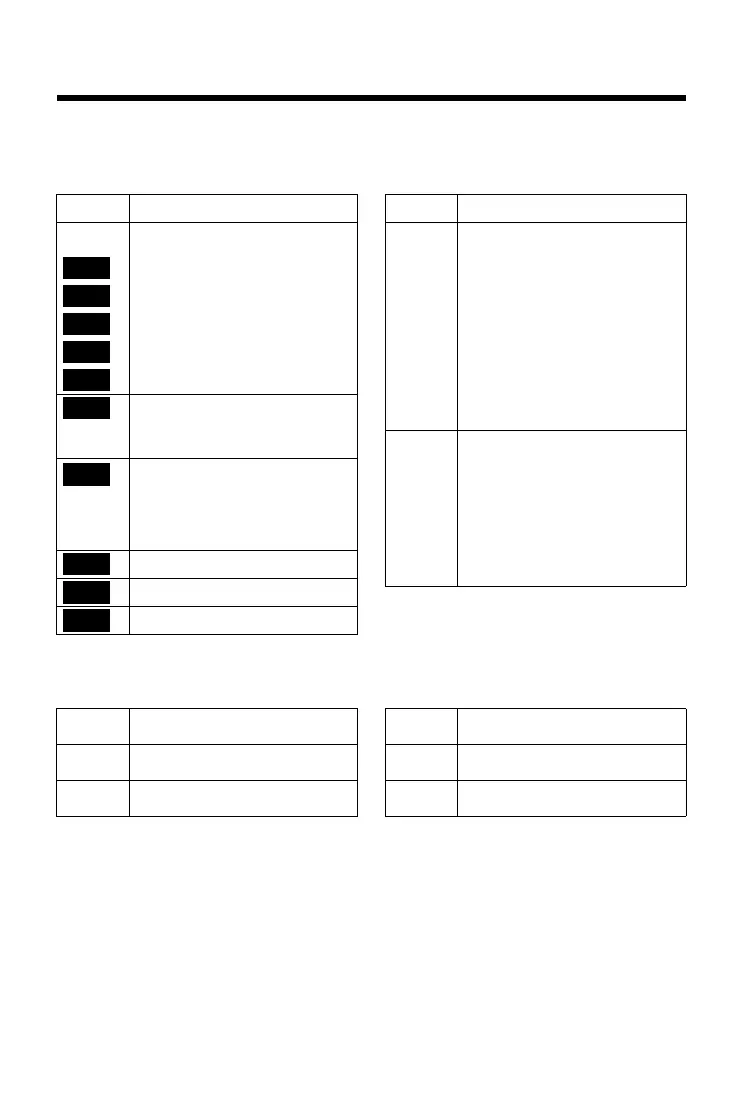
Icons in the status bar
The following icons are displayed in the status bar depending on the settings and the operating
status of your telephone:
Menu icons
Icon Meaning
Signal strength (No Radiation off)
76% - 100%
51% - 75%
26% - 50%
1% - 25%
Red: no connection to the base
No Radiation activated:
white, if Maximum Range is on;
green, if Maximum Range is off
Answer machine activated
(only C430A-C530A)
flashes: Answer machine is recording
a message or is being operated by
another internal party
Ringtone deactivated
"Beep" ringtone activated
Key lock
White, if Maximum
Range is on;
Green, if Maximum
Range is off
}
Battery charge status:
{
White: charged over 66%
{
White: charged between 34 and 66%
y
White: charged between 11 and 33%
y
Red: charged below 11%
y
Flashes red: battery almost empty
(approx. 5 minutes talktime
remaining)
Battery is charging
(current charge status):
xy 0% - 10%
xy 11%–33%
x{ 34% - 66%
x{ 67% - 100%
Icon Meaning
ì
Alarm Clock
Ê
Call Lists
Ì
Answer Machine
Ç
Select Services
É
Additional Features
Ï
Settings



 To Next Page