Template Module, Version 2, 20.02.2020,
SMS (text messages)
Gigaset C575-C575A / LUG_Kombi CH en / A31008-M2907-F101-1-2X19 / applications_2.fm / 4/27/20
48
Sending SMS messages to an e-mail address
Temporary storing of an SMS (draft message list)
You can temporarily store text messages, change and send them later.
Saving SMS in the draft message list
Opening and editing an SMS from the draft message list
The network provider supports this feature.
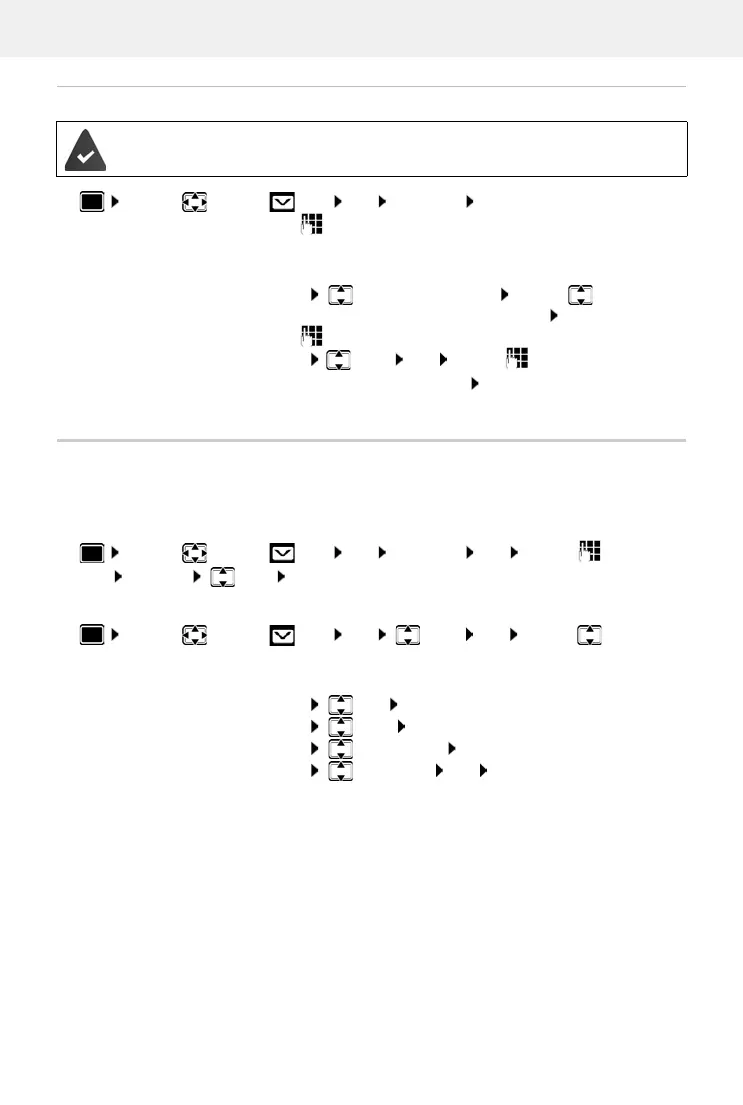
¤ . . . use to select SMS OK New SMS OK . . . then
Enter address:
¤ . . . use to enter the e-mail address at the start of the SMS
message
or
¤ Options Insert eMail address . . . use to select a
directory entry containing an e-mail address OK
Write text:
¤ . . . use to complete the SMS message
Send:
¤ Options Send OK . . . use to enter the number of
the e-mail service (if not entered) Send . . . the SMS is sent to the
e-mail service of the SMS send service centre
¤ . . . use to select SMS OK New SMS OK . . . use to write
SMS Options Save OK
¤ . . . use to select SMS OK Draft OK . . . use to select
saved SMS . . . possible options:
Read draft:
¤ Read
Edit:
¤ Options Edit OK
Send SMS:
¤ Options Send OK
Delete an entry:
¤ Options Delete entry OK
Delete all entries:
¤ Options Delete List OK Ye s




 To Next Page