50
Appendix
Gigaset E260 / Belgien en / A31008-M2301-M201-1-3F19 / appendix.fm / 16.01.2017
Version 5, 03.04.2011
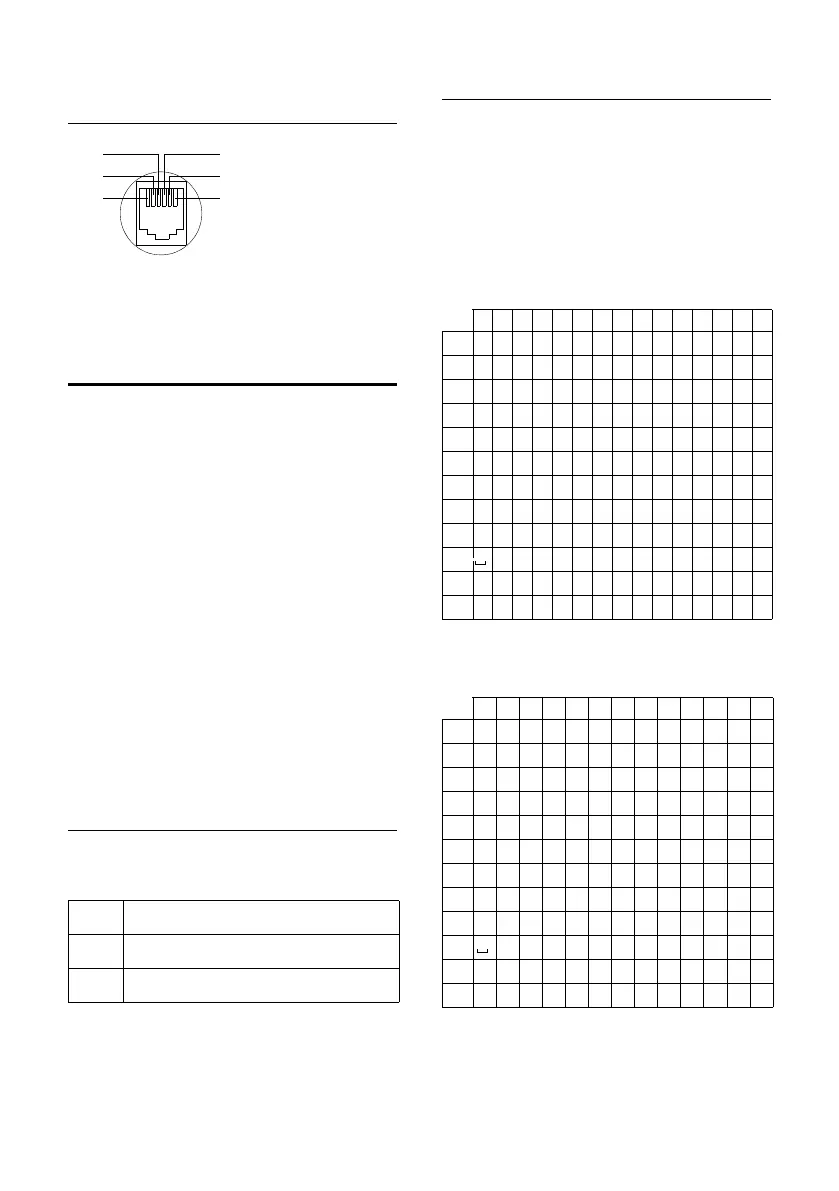
Pin connections on the
telephone jack
Writing and editing
names
The following rules apply when writ-
ing names:
u Each key between Q and O is
assigned several letters and char-
acters.
u Control the cursor with u v.
u Characters are inserted at the cur-
sor position.
u Press the display key Ü to delete
the character to the left of the cur-
sor.
u The first letter of the name is auto-
matically capitalised and then fol-
lowed by lower case letters.
Setting upper/lower case or
digits
Repeatedly press the hash key # to
change the text input mode.
Writing names
Enter the individual letters/charac-
ters by pressing the corresponding
key.
Briefly press the key several times in
succession to select the required let-
ter/character.
Standard characters
1) Space
Central European
1) Space
123 Digits
Abc Upper case *
abc Lower case
* First letter in capitals, all others in
lower case
1unused
2unused
3a
4b
5unused
6unused
1x 2x 3x 4x 5x 6x 7x 8x 9x 10x 11x 12x 13x 14x 15x
1
1£$¥¤
2
abc2äáàâãç
I
def3ëéèê
4
gh i4ïíìî
5
jkl5
L
mno6öñóòôõ
M
pqr s 7ß
N
tuv8üúùû
O
wx y z 9ÿ ýæøå
Q
.,?!0+-:¿¡“‘;_
P
* / ( ) <=>%
#
#@\ &§
1x 2x 3x 4x 5x 6x 7x 8x 9x 10x 11x 12x 13x
1
1$¤
2
abc2ąäáâćç
I
de f 3ęëé
4
gh i 4 í î
5
jkl5ł
L
mn o 6 ń ó ö ő ô
M
pqr s7ßś
N
tuv8űüú
O
wxy z 9ý ź ż
Q
.,?!0+-:"‘;_
P
*/()<=>%
#
#@\ &§



 To Next Page