8
Icons and keys
Gigaset E500/E500 A / GreatBritain / A31008-M2206-L101-2-7619 / Symbols_Keys.fm
Version 4, 16.09.2005
New missed calls or new messages on the answering
machine (E500A only)/network mailbox (¢ page 42).
Delete key: delete character by character/word by word
from right to left.
Go back one menu level or cancel operation.
Mute the microphone (¢ page 35).
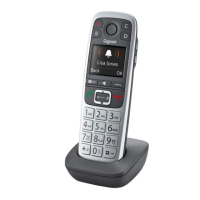
Using the control key
In the description below, the side of the control key
(up or down) which you have to press in the different
operating situations is marked in black, e.g., t for
"press the top edge of the control key".
The control key has a number of different functions:
When the handset is in idle status
s Open the directory.
In menus and lists
q Scroll up/down a line at a time.
In input fields
s/t Move the cursor to the right s or left t.
During an external call
s Open the directory.
Side key
ç Press the top or bottom of the key to set the volume for
the earpiece, ringer, handsfree mode, alarm clock or
headset depending on the situation. The key is located on
the side of the handset.



 To Next Page