1
Brief overview
Gigaset SL780/SL785 / GBR / A31008-M2009-L101-4-7619 / overview.fm / 10.02.2011
Version 4, 16.09.2005
Brief overview
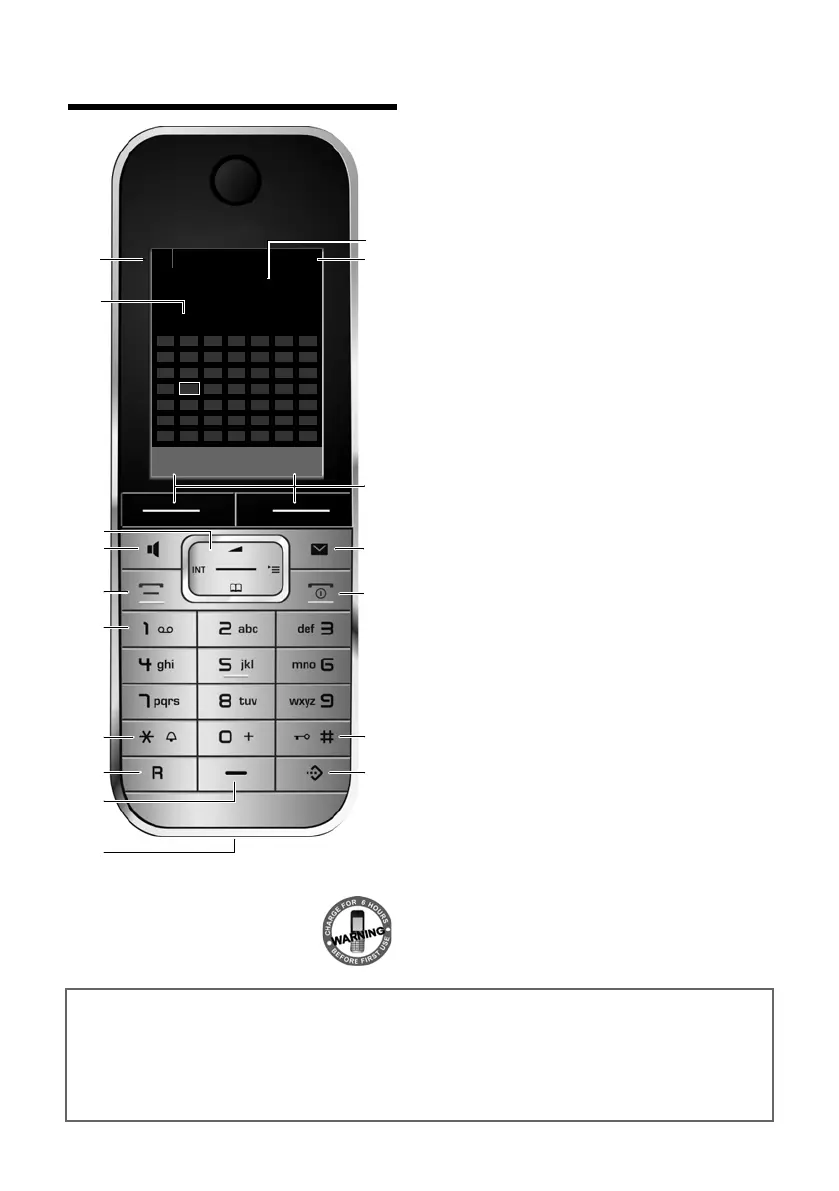
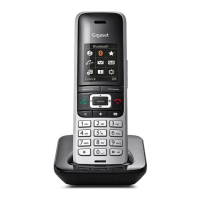
1 Display in idle status
2 Battery charge status (
¢page 17)
3 Display keys (
¢page 20)
4 Message key (
¢page 37)
Access to calls and message lists;
Flashes: new message or new call
5 End call key, On/Off key
End call, cancel function, go back one menu
level (press briefly), back to idle status
(press and hold), activate/deactivate handset
(press and hold in idle status)
6 Hash key
Keypad lock on/off (press and hold in
idle status);
toggles between upper/lower case and digits
7 Call-by-call list key (
¢page 32)
Open call-by-call list
8 Charging socket
9 Microphone
10 Flash key
- Consultation call (flash)
- Insert a dialling pause (press and hold)
11 Star key
Ring tone on/off (press and hold);
with an open connection: switch between dial
pulsing/touch tone dialling (press briefly);
Text input: Open table of special characters
12 Key 1
Dial answering machine (SL785 only)/Network
mailbox (press and hold)
13 Talk key
Accept a call; open redial list (press briefly);
start dialling (press and hold)
When writing an SMS: send SMS
14 Speaker key
Switch between earpiece and speaker mode;
Lights up: speaker activated;
Flashes: incoming call
15 Control key (
¢page 19)
16 Signal strength (
¢page 17)
17 Answering machine symbol (SL785 only)
Answering machine switched on;
Flashes: Answering machine is recording
a message or is being operated by another
internal party
i à V
INT 1
Oct 2008
07:15
Calls Calendar
Mo Tu We Th Fr Sa Su
01 02 03 04 05
06 07 08 09 10 11 12
13 14 15 16 17 18 19
20 21 22 23 24 25 26
27 28 29 30 31
Gigaset service contact numbers:
For personal advice on our range of products and for repairs or guarantee/warranty claims call:
Service Centre UK: 0845 367 0812
(local call cost charge)



 To Next Page