1
Gigaset SL910A/SL910 / GBR-IRL / A31008-M2300-L101-2-7619 / overview.fm / 6/19/13
Template Lion A5, Version 2, 01.03.2012
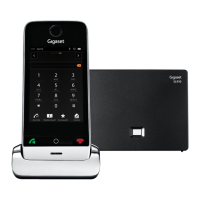
Gigaset SL910/SL910A – with the special "touch"
Gigaset SL910/SL910A – with the special "touch"
Ð
à òô
ó
¼ 06:00
V
<
Å Å Å
>
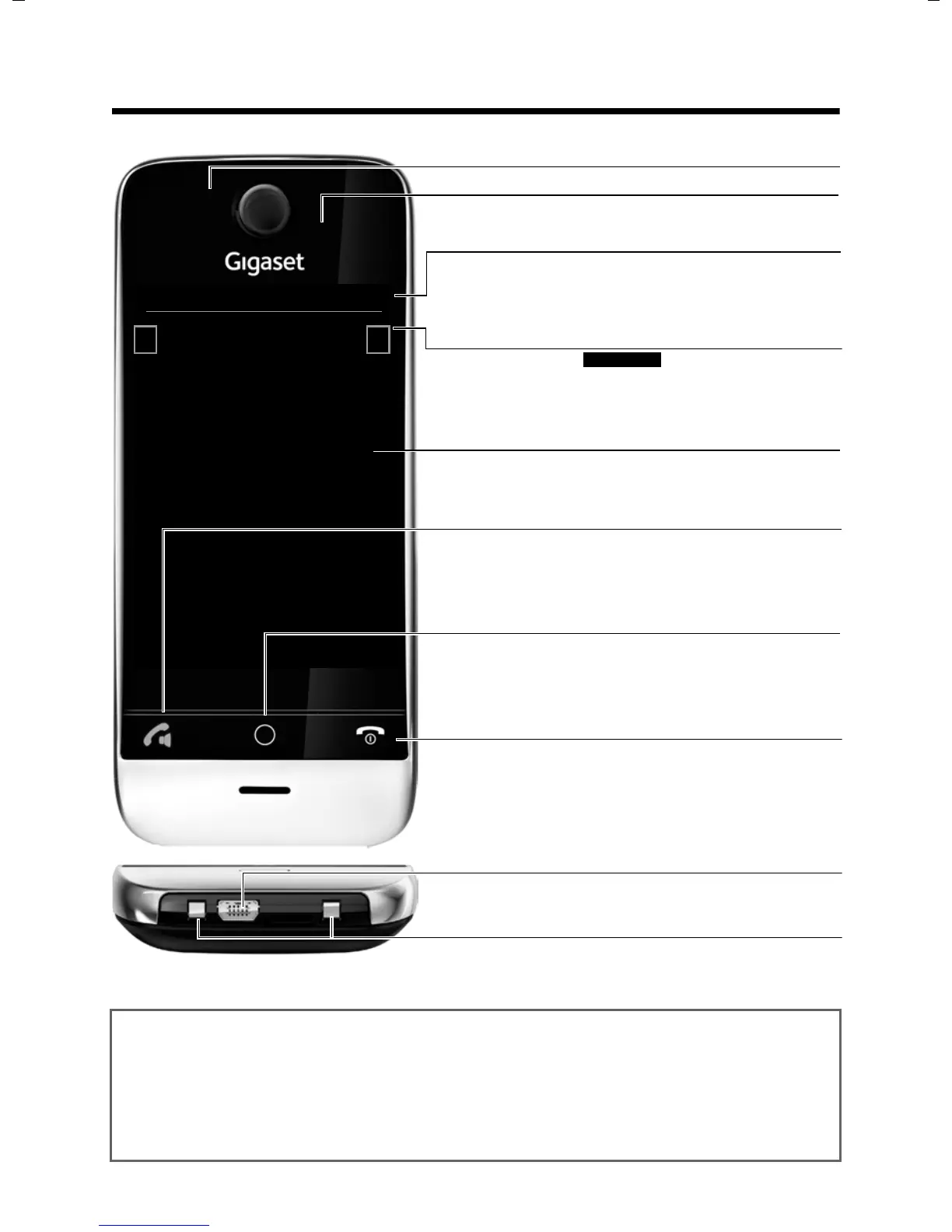
Status bar (£ page 22)
Icons (£ page 74) show the telephone’s current settings
and operating status. Touch the status bar to open the
£ status page, page 22.
v Menu key
Press briefly: open main menus (£ page 23)
Press and hold: activate/deactivate (
£ page 24) keypad
and display lock
a End call/end key
Press briefly: end call/paging, reject internal call, switch off
ring tone for external call, return to idle status
Press and hold: switch handset on/off
Touchscreen/display
Message LED (£ page 19)
Proximity sensor (£ page 24)
Navigation area
Page position marker ,
Change page
ê/ë.
Handset keys
c Talk key
Press briefly: Dial displayed number, accept call, switch
between earpiece and handsfree mode, open the redial list
Press and hold: assign a line
Mini USB connection socket
Connect wire-bound headset or handset to your PC
(Gigaset QuickSync)
Charging contacts
Idle displays or menu (£ page 17)
Gigaset service contact numbers:
For personal advice on our range of products and for repairs or guarantee/warranty claims call:
Service Centre UK: 0845 0318190 (local call cost charge)
Service Centre IE: 0818 200 033 (6.6561 Ct./Call)
Please have your proof of purchase ready when calling.


 To Next Page