

EasyManua.ls Logo

Gigaware 25-1199 - User Manual

Gigaware 25-1199
12 pages
Print Icon
To Next Page IconTo Next Page
Loading...
®
25-1199
User’s Guide
Please read this users guide before using your new projector.
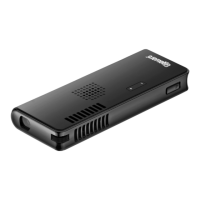
Pico Projector
2/3
Question and Answer IconNeed help?

Do you have a question about the Gigaware 25-1199 and is the answer not in the manual?

Summary

Install the Battery

Battery Installation Procedure

Steps to insert and secure the projector's battery, including correct orientation.

Connect to External Devices

Connect Power and Turn On

Power Connection Steps

Connect the AC adapter to the projector and a standard AC outlet.

Powering On the Projector

Slide the power switch in the direction of the arrow to turn the projector on.

Projector Controls and Indicators

Charge the Battery

Battery Charging Procedure

Steps to charge the battery using the AC adapter.

Battery Charging Notes

Important notes on initial charging, low battery indication, and charging time.

Handling and Disposal

Battery Charging Safety

Safety rules for charging batteries, including unattended charging and vehicle charging.
Troubleshooting

Gigaware 25-1199 Specifications

General IconGeneral
BrandGigaware
Model25-1199
CategoryProjector
LanguageEnglish