EasyManua.ls Logo

Gigaware 25-1199 - Troubleshooting; No Sound; Display Out of Range; Fuzzy or Unclear Projection

Gigaware 25-1199
12 pages
Print Icon
To Next Page IconTo Next Page
To Previous Page IconTo Previous Page
Loading...
8
Troubleshooting
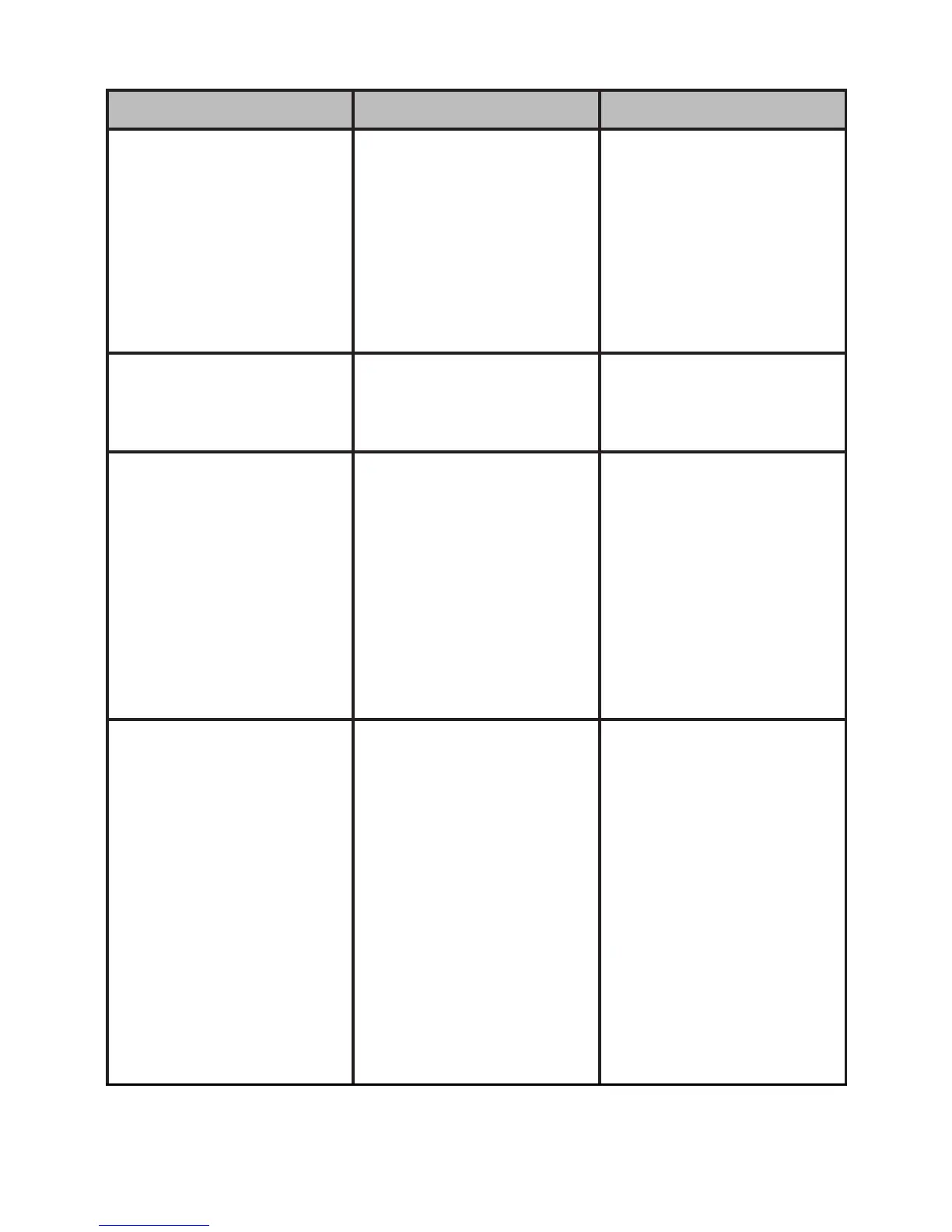
Problem Cause Solution
Built-inspeakerhas
nosound
Volumeislow.
BothVGAand
Mini-AVcablesare
connectedtoA/V
sourcedevices.
PressVol+toturn
upthevolume.
Disconnectoneof
thedevices.
Poorsoundquality Audiocomingin
exceeds0.5W.
Lowerthevolume
onyourA/Vsource
device.
Thedisplayshows
“OutofRange”
Thecomputer
connectedtothepro-
jectordoesnothave
thecorrectresolution
orfrequency.The
supportedresolution
isupto800x600,
withafrequencyof
60Hz.
Adjustcomputer
resolutionto800x600
andthefrequencyto
60Hz.Refertoyour
computer’suser’s
guidefordetails.
Projectionisfuzzyor
notclear
Pictureisoutof
focus.
Projectoristoofar
ortooclosetothe
projectionsurface.
Thebestdistance
betweentheprojec-
torandtheviewing
sufaceisbetween25
and50in.
Rotatethefocus
knobtoadjustfocus.
Movetheprojector
closerorfartheraway
fromtheviewing
surface.