Duration shown below.
² “S
ource”: three kinds of alarm sources can trigger the nurse call: high level alarm, medium level alarm and low
level alarm (multi-optional). After selecting the alarm level, the device will send out the nurse call signal
according to "Source" and "Output level". If you don’t select any source, nurse call signal will not be generated
(Note: multiple "Source" selection can be chosen.)
Note: Nurse Call function cannot be regarded as the main alarm notification method, please do not rely on
it alone. You should combine parameter values with alarm level and patient’s clinical behavior and symptom
to determine patient’s condition
4.9.9 Network Setup (Optional)
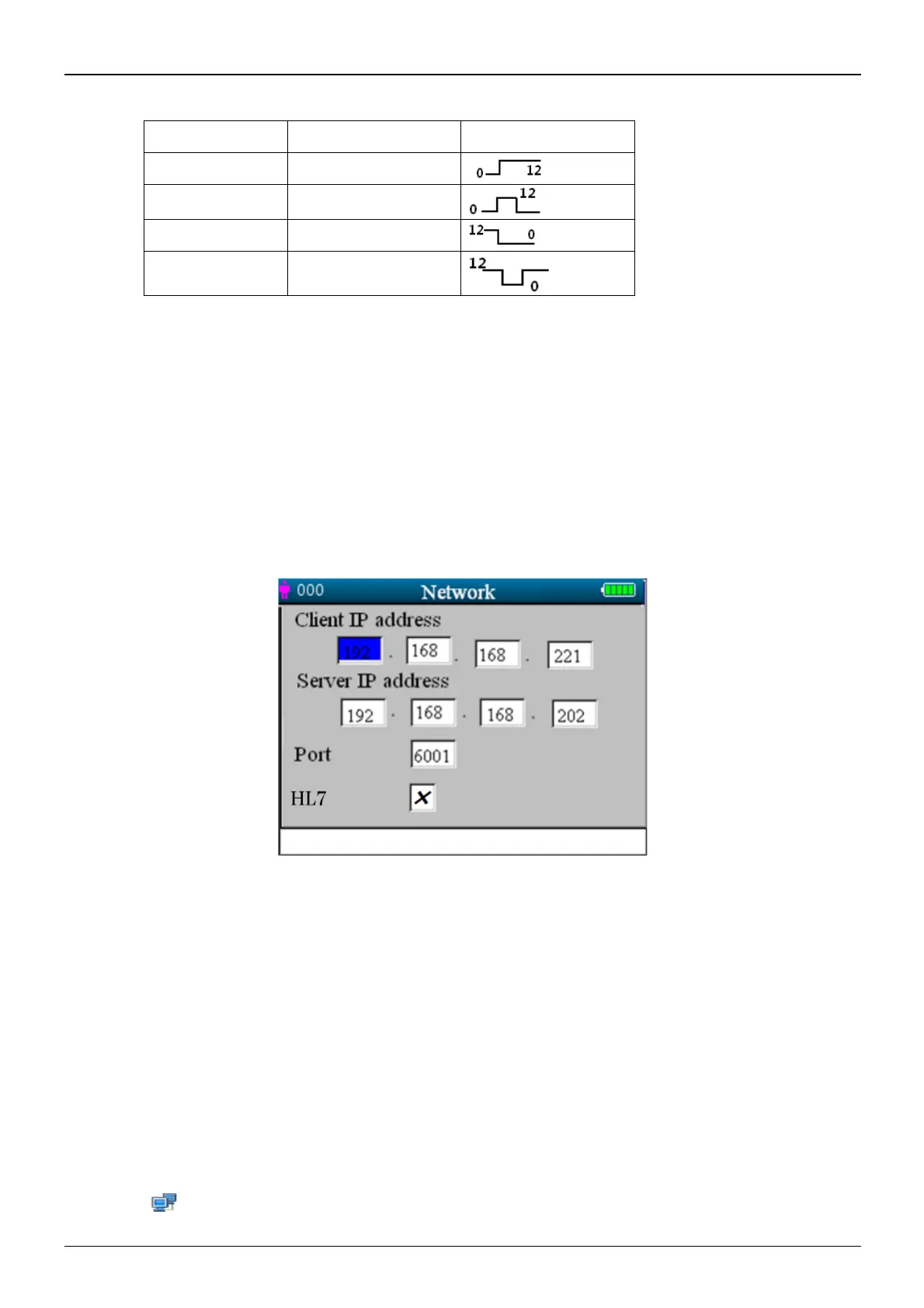
Figure 4.21 Network setup screen
Screen description:
² "Client IP address": sets the IP address of this monitor, which acts as a client in the network system.
² "Server IP address": sets the IP address of the remote server, which is Central Monitoring System to be connected.
² "Port": the remote port number to which the monitor will connect to the work station in the Central Monitoring
System. Its setting range is from 6001 to 6064. It can also be used to represent the patient bed number connecting t
o
the work station. For example, the port number 6002 means the monitor is assigned to the bed number 2 in the CSM.
The work station can connect to up to 64 bedside monitors, so please set the port number between 6001 and 6064.
Pr
ess Knob to make the new setting effective.
² "HL7":Sets to enable or disable the network service by HL7 protocol. Selecting "√" means the monitor will work
as a server allowing access from the remote client by HL7 protocol, meanwhile the monitor will disconnect from
the
work station in the Central Monitoring System. Selecting "×" means the monitor will work as a client
connecting to the CMS, and will not provide network service with HL7 protocol. The factory default is CMS
network function (HL7 service disabled).
Note: 1. Make sure that remote Server and the monitor are located in the same network segment. Every monitor
should have its unique Port Number. Otherwise, network connection will be failed anytime.
2. The icon “ ”
(on the lower right corner of screen) displays the network status.



 To Next Page