a) Press to Turns on/off the screen.
b) Press and Hold Opens a menu with options for airplane mode,
powering off the phone, Reboot the phone and change audio profile.
(Right side of the
phone)
a) Press when call is in progress, increase or decrease the volume,
Silences the ringer. On the home screen when no call is in progress,
increase or decrease the ringtone volume or sets the phone to the silent
instead of ringing. In other applications, controls the volume of music, and
other audio.
b) Press and hold to quickly increase ringtone volume to maximum or to
decrease to minimum.
3. Before using
The phone is a Dual SIM mobile phone allows you to use the facility of two networks.
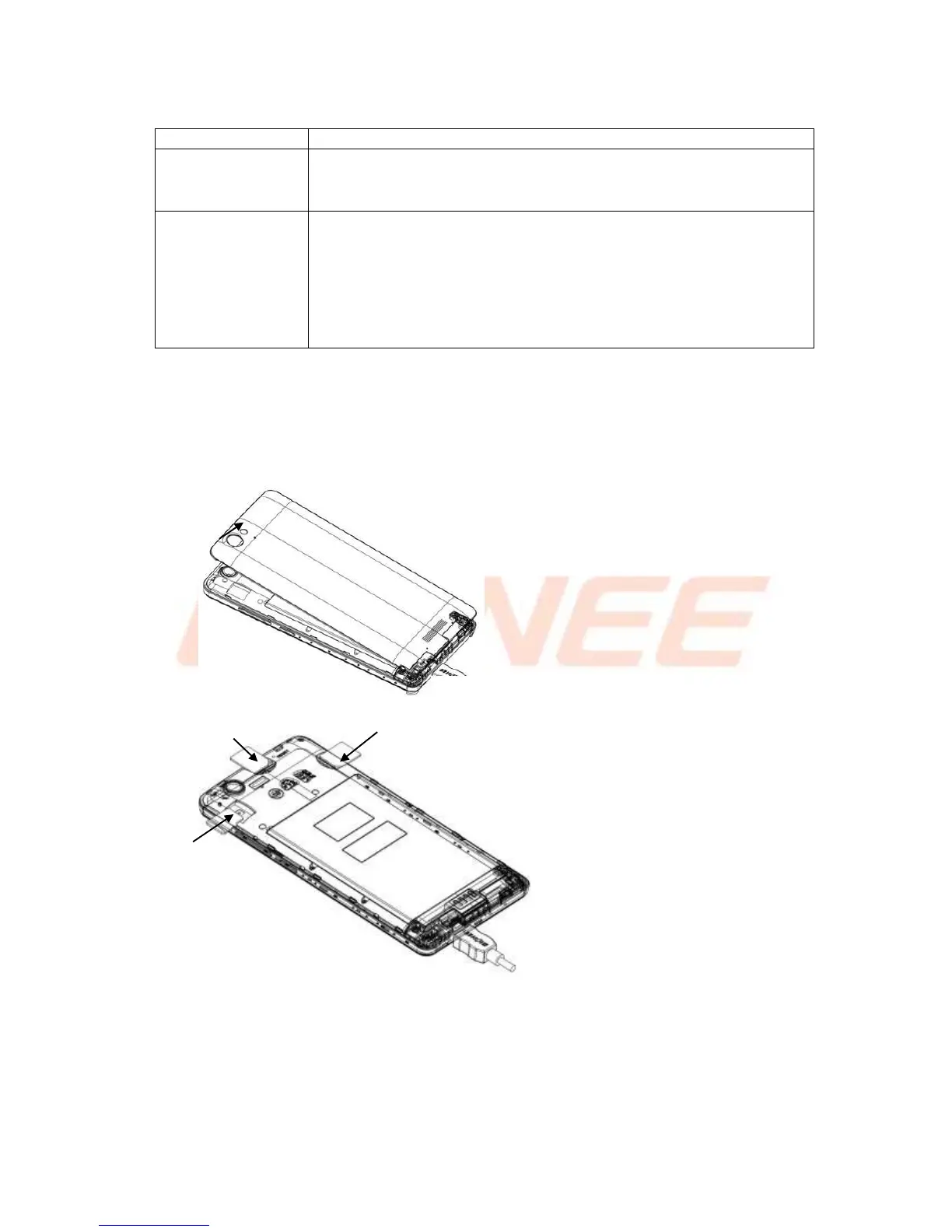
To insert Micro SIM card(s):
1. Switch off the mobile phone and remove the rear cover
2. Insert the SIM card correctly and memory card in the card slot(s).
3. Finally replace the rear cover of the mobile phone.



 To Next Page