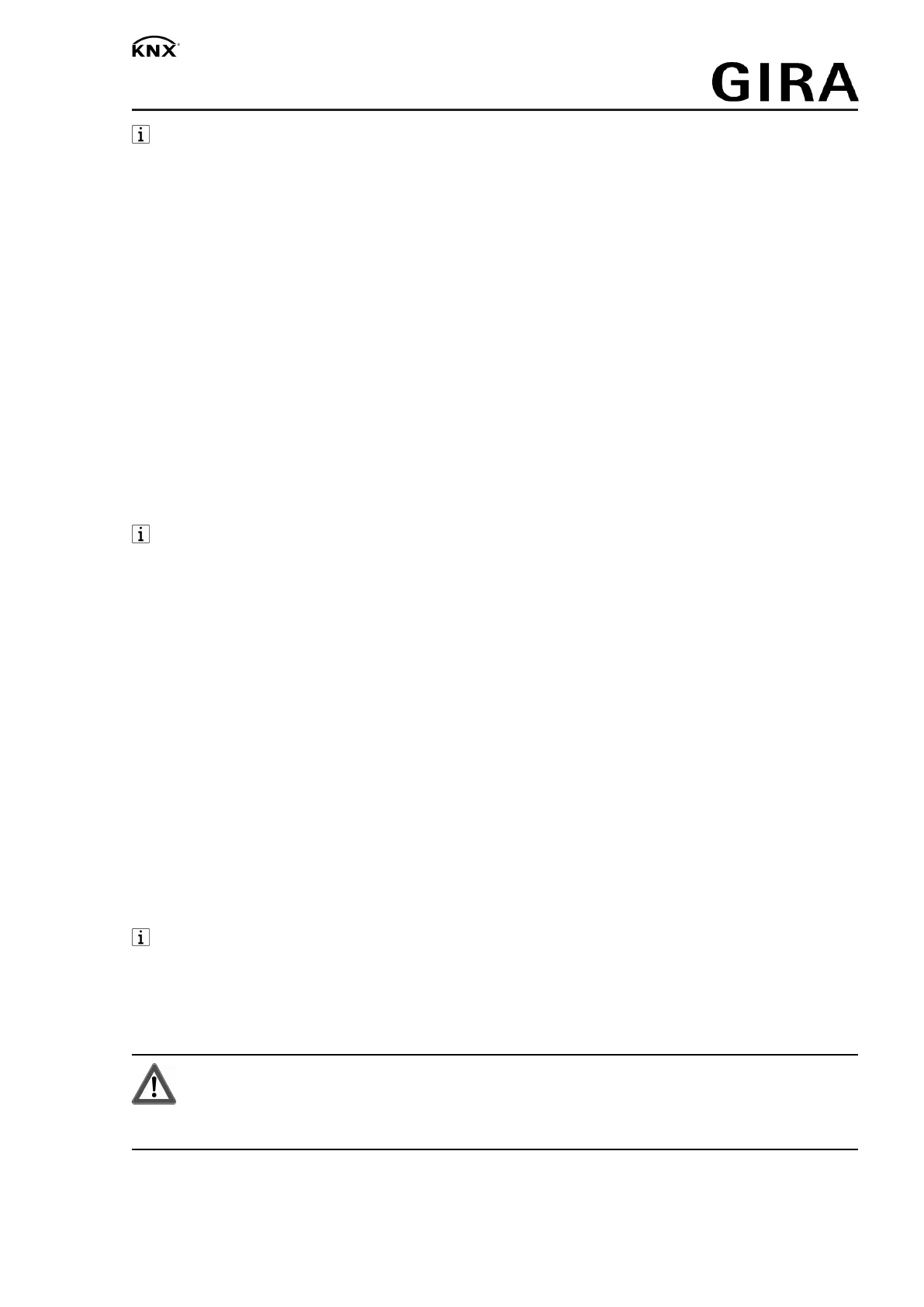
DALI gateway Plus
After 5 seconds without a button-press, the device returns automatically to bus mode.
Switching on/off the permanent manual mode
Operation using the button field is programmed and not disabled.
■ Press the c (1) button for at least 5 seconds.
LED c (2) is illuminated, display (8) shows
01
or
bc
, permanent manual mode is
switched on.
- or in case of repeated actuation -
LED c (2) is off, display (8) is off, bus mode is switched on.
Operating DALI devices
The device is in continuous or short-term manual mode.
■ Press c (1) button briefly as many times as necessary until the display (8) shows the de-
sired DALI number.
■ Operate output with
ON
/n (3) button or
OFF
/o (5) button.
Short: switch on/off.
Long: dim brighter/darker.
Release: Stop dimming.
The LEDs
ON
/n (4) and
OFF
/o (6) indicate the status.
The display (8) shows first the numbers of the available DALI groups (8a), followed by the
individual addresses of the DALI devices (8b).
Switch off all DALI devices
The device is in continuous manual mode.
■ Press the
ALL OFF
button (7).
Disabling/enabling individual DALI devices or groups
The device is in continuous manual mode.
■ Press c (1) button briefly as many times as necessary until the display (8) shows the de-
sired DALI number.
■ Press the buttons
ON
/n (3) and
OFF
/o (5) simultaneously for at least 5 seconds.
The selected DALI number flashes in the display (8).
DALI device or group is blocked.
- or in case of repeated actuation -
The display (8) no longer flashes.
DALI device or group is enabled.
■ Activate bus mode (see section Switching on/off the permanent manual mode).
DALI devices blocked via manual operation can be operated in manual mode.
4 Information for electrically skilled persons
4.1 Fitting and electrical connection
DANGER!
Mortal danger of electric shock.
Disconnect the device. Cover up live parts.
Fitting the device
■ Mount device on DIN rail.
3 / 7
32587022 10867792 15.06.2020


 To Next Page