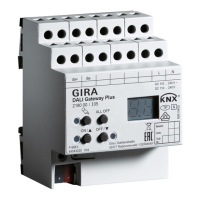
DALI gateway Plus
Number of DALI subscribers max. 64
DALI transmission rate 1.2 kBit/s
DALI protocol EN 62386
Cable type Sheathed cable 230 V, e,g. NYM
DALI cable length
with Ø 1.5 mm² max. 300 m
with Ø 1.0 mm² max. 238 m
with Ø 0.75 mm² max. 174 m
with Ø 0.5 mm² max. 116 m
Housing
Fitting width 72 mm / 4 module
Connection of power supply and DALI
Connection mode Screw terminal
single stranded 0.5 ... 4 mm²
Finely stranded without conductor sleeve 0.5 ... 4 mm²
Finely stranded with conductor sleeve 0.5 ... 2.5 mm²
KNX
KNX medium TP 256
Commissioning mode S-mode
Rated voltage KNX DC 21 ... 32 V SELV
Current consumption KNX 4.5 ... 5.0 mA
Connection type for bus device connection terminal
5.2 Troubleshooting
Indication shows "Er", connected DALI devices have no function, no operation possible
Cause: Mains voltage on DALI cable.
Installation error. Disconnect device and connected DALI devices from mains voltage and
disconnect bus voltage. Correct installation.
Indication shows "bc" in manual mode, control of individual luminaires not possible.
Cause: The device has not been programmed or is programmed to "Broadcast".
Check the device status. If necessary, program the device and put DALI system into oper-
ation.
Individual DALI devices have no function
Cause 1: Load is defective, e.g. lamp.
Exchange load.
Cause 2: DALI device is defective.
Exchange defective device.
Switch on voltage.
Press c and
ALL OFF
buttons together for at least 10 seconds.
The device detects the exchanges DALI device and loads in the necessary data. The dis-
play (4) shows
LE
.
Simultaneous exchange of multiple DALI devices is only possible with commissioning
software and project data.
6 / 7
32587022 10867792 15.06.2020


 To Next Page