ENUSER’S MANUAL BR16
62
FOURTH STEP
•UsetheKeys , tochangethepositionoftheDECIMALPOINT.
dP 0.0
d 0.00 d 0.000 d 0.0000 0.00000
FIFTH STEP
•Use toselecttheDIVISION:
diV 01, diV 02, diV 05, diV10, diV 20, diV 50
diV 01
AfterintroducingtheparametersLF2,theindicatorwillshowthelastconfigurationsaved.Allthe
stepstofollowmustbecompleted,iftheyarenotdonetheindicatorwillcontinuewiththeprevious
configuration.
ProceedwiththecalibrationofweightafterLF2.
LF 2
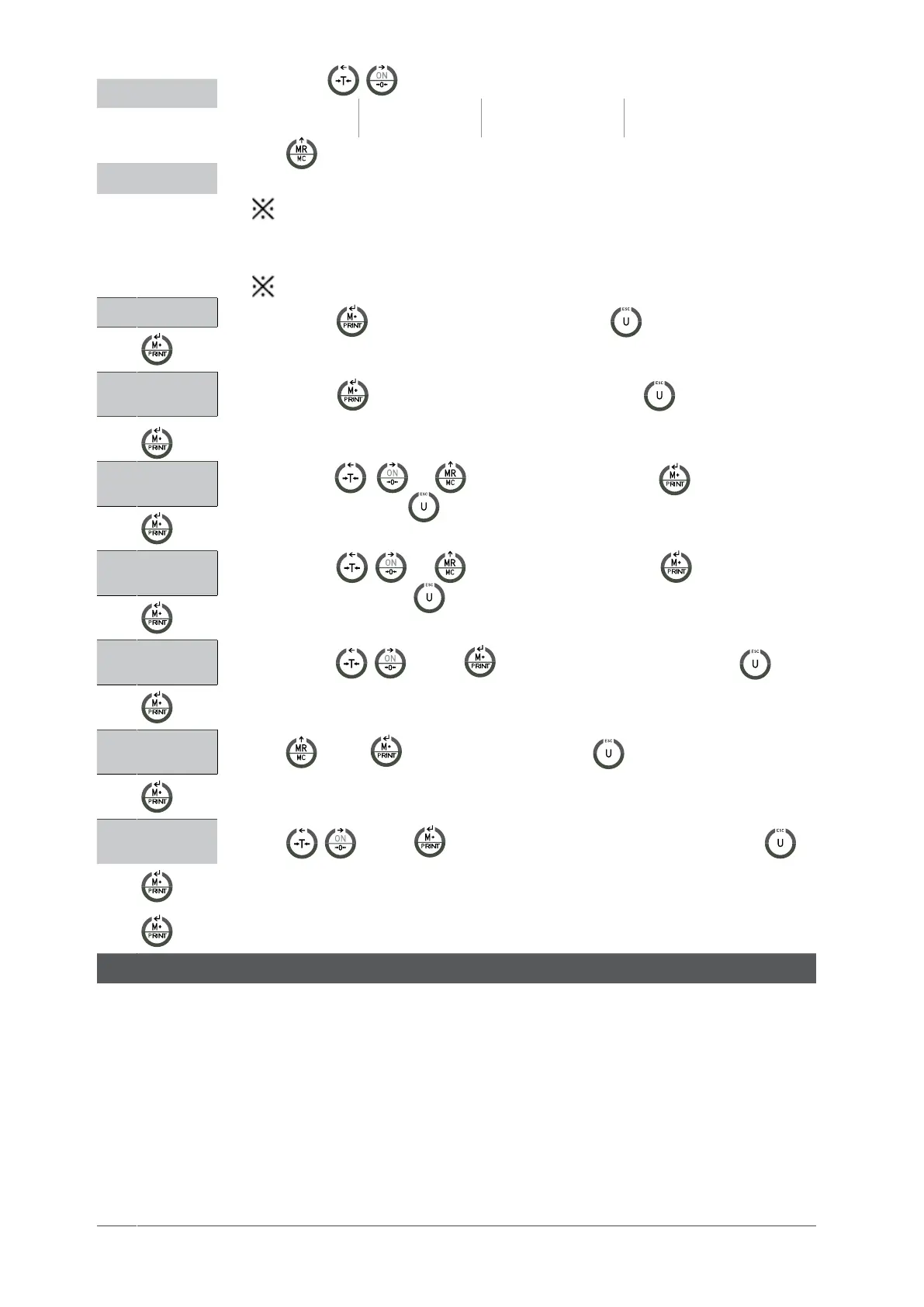
•Pressthekey tostartanddisplaytheinternalvalue.Press toexitthemenuandthescale
willautomaticallyrestart.
262144
•Pressthekey Tocontinuewiththeconfiguration.(pressthekey
toexitfromtheconfigu-
rationandgobacktothemenuLF2).
100001
•Usethekeys , and ,0 ~ 9 andthenpressthekey tochoosetheUNITS
OFWEIGHT.(pressthekey
toexitfromtheconfigurationandgobacktothemenuLF2).
000000kg
•Usethekeys , and ,0 ~ 9 andthenpressthekey tochoosetheMAXI-
MUMWEIGHT.pressthekey
toexitfromtheconfigurationandgobacktothemenuLF2).
d 0.0kg
•Usethekeys , andThen Tomovethedecimalpoint(pressthekey
Toexit
fromtheconfigurationandgobacktothemenuLF2).
div 01
•Use and then to change the step. (Pressthekey
Toexitfromtheconfigurationand
gobacktothemenuLF2).
LF2
•Use , and then Tocontinuewiththeotherconfigurationorpressthekey
to
exitfromthemenuandthescalewillbeginagainautomatically).
SPEED OF THE AD CONVERTER LF 4
SPEED 1 standardspeed15Hz.
SPEED 2 highspeed30Hz.
SPEED 3 lowspeed7.5Hz
*ThisfunctionstaysblockedwhenUF-5isinmodeHOLD1.
*Thevalueoffactoryis1
DISPLAY DESCRIPTION AND SEQUENCE OF USE


 To Next Page
 Loading...



