To Power On: Press and hold the Power/Mode button [ ] for four
seconds.
To Power Off: Press and hold the Power/Mode button [ ] for three
seconds.
PRO TIP: When the camera is off and Quik Rec is enabled, you can turn
the camera on and immediately begin capturing video or Time Lapse
photos just by pressing the Shutter/Select button [ ]. Press once for
video, press and hold for Time Lapse photos. Press again to stop
recording and power off the camera. For details, see Quik Rec in Setup
Mode.
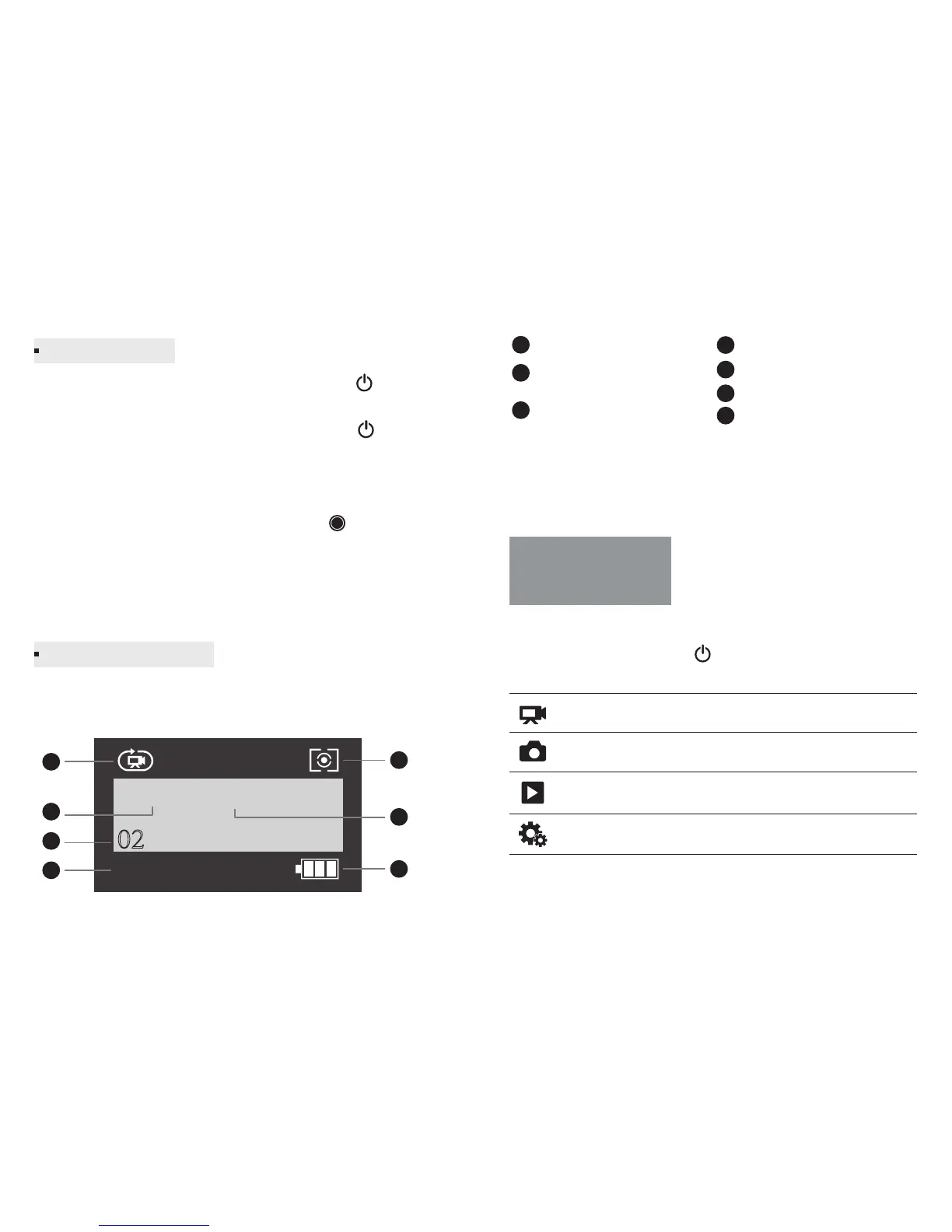
F1 features a status screen that displays the following information
about modes and settings:
Camera Modes
Resolution/fps
(frames per second)
Number of Files Captured
Note: The icons that appear on the camera status screen vary by
mode.
Left recording time
Meter
Loop Recording Interval
Battery Life
The F1 features several camera modes. To cycle through the modes,
press the Power/Mode button [ ] repeatedly.
Camera Modes
Powering On/Off
Camera Status Screen
Record video or time lapse video.
Capture a single photo or a series of photos.
Playback videos and photos. (Playback mode
appears only if the camera is connected to a TV).
Adjust general camera settings.
Video
Photo
Playback
SetUp
4K 30 1min
02
1h:04
1
2
3
4
6
5
7
1
2
3
4
6
5
7
-3- - 4-



 To Next Page