GitUp Git2 User Manual dashcamscentral.com.au
Powering Camera On and Off
1. To power on:Press the Power/Mode button for two seconds;
2. To power off:Press and hold the Power/Mode button for four seconds.
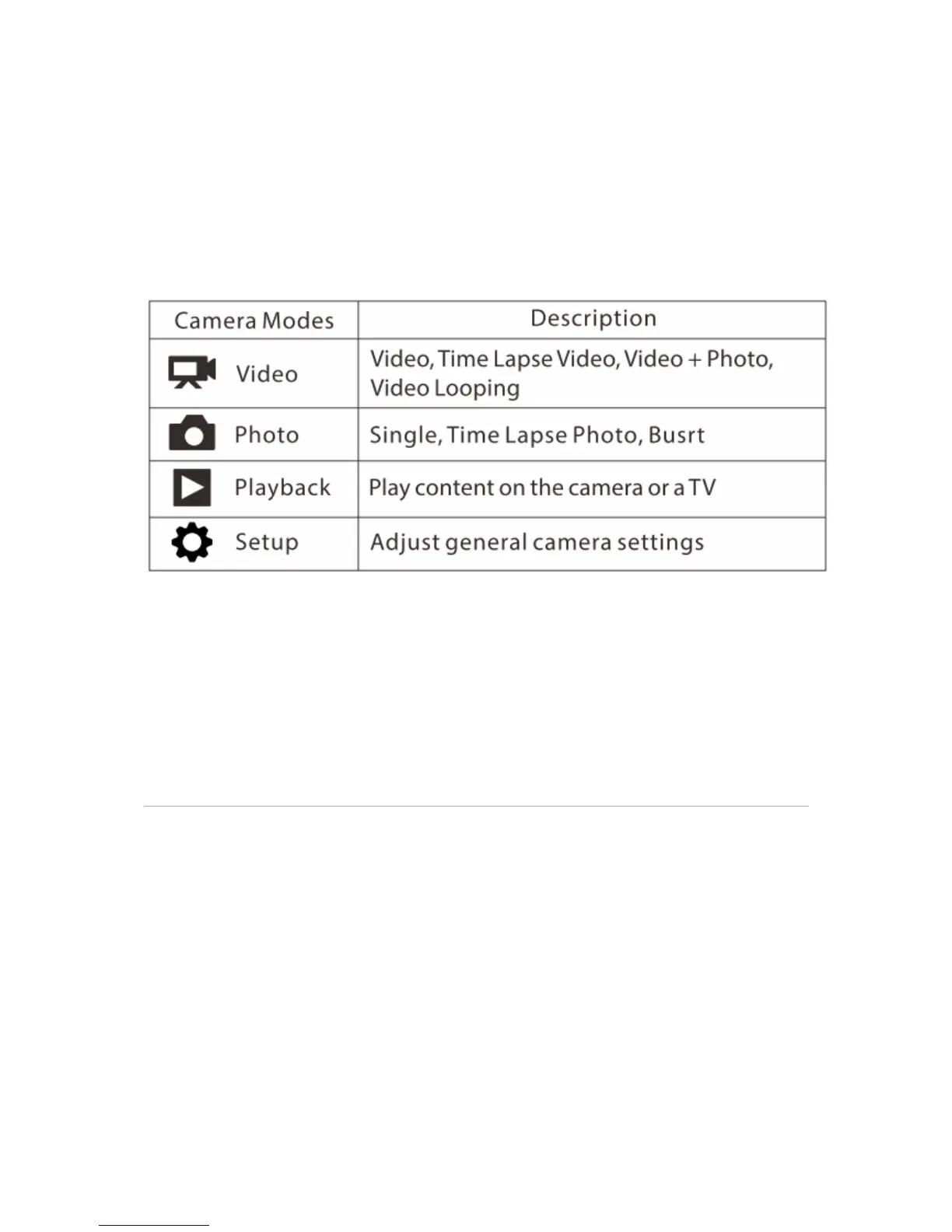
Selecting Camera Modes
Press the Power/Mode button repeatedly to cycle through the camera modes,there are four
modes for Git2: Video;Photo;Playback;SetUp
Adjusting Camera Settings
1. Press the Power/Mode button to cycle to your desired mode;
2. Press the Setting/WiFi button to enter the setting menu for that mode;
3. Press the Power/Mode button to cycle through the options;
4. Press the Shutter/Select button to select your desired option;
5. Press the Setting/WiFi button to exit the setting menu
The Icons


 To Next Page