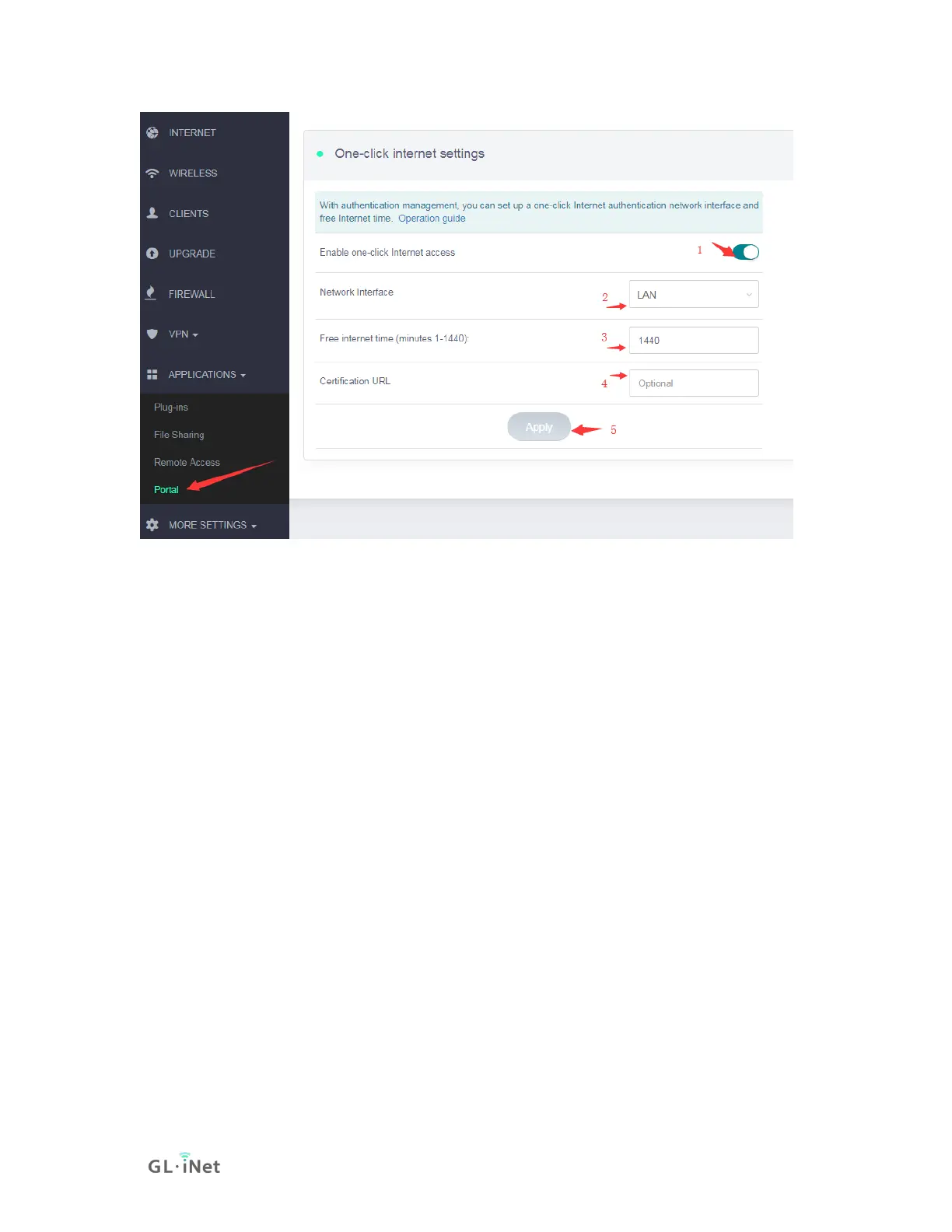
1) Turn on one-click Internet access
2) Choose the network that you want to use Portal. LAN is for LAN clients,
include wired clients. Guest is for Guest clients which access by Guest Wi-Fi.
3) Set free internet time.
4) Certification URL is the default page that clients will force redirect to when they
are connected, e.g. https://www.gl-inet.com
5) Apply the configuration.
For wired desktop client, please use browser to access a http(not https) website,
e.g. http://neverssl.com or http://apple.com/? , then you will see the portal.
Below is the Portal on iPhone, click the "GET CONNECTED" button to access
the internet. On Android and desktop platform, it's a similar interface.



 To Next Page