EasyManua.ls Logo

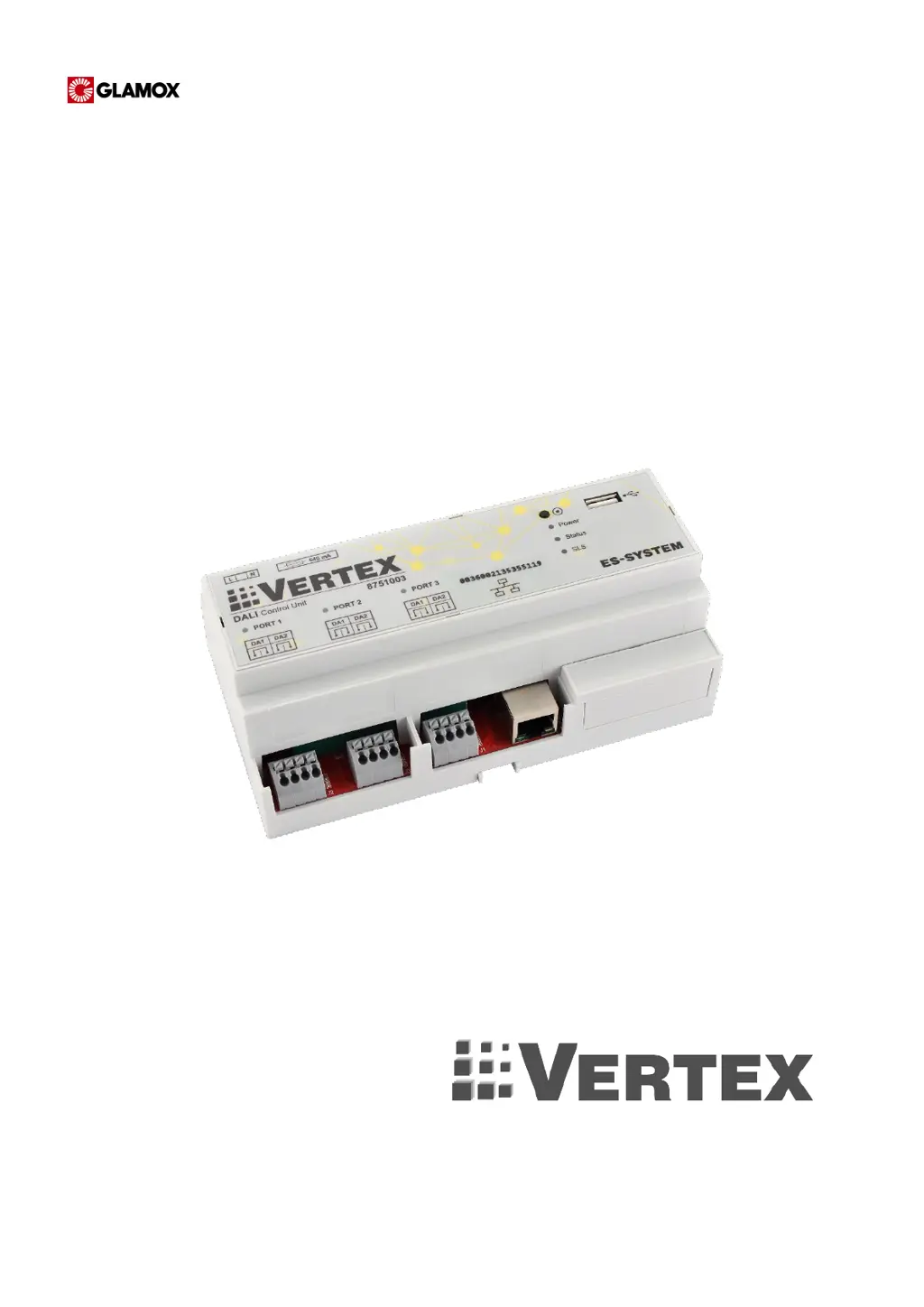
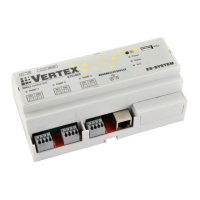
Glamox Vertex PN8100102 - User Manual

Glamox Vertex PN8100102
56 pages
Print Icon
To Next Page IconTo Next Page
Loading...
OPERATION AND MAINTENANCE MANUAL

Table of Contents

Questions and Answers

  • M
    Michelle HintonAug 16, 2025
    Why is Glamox Firestarter not detecting the VERTEX Controller?
    • B
      Brandy BaileyAug 16, 2025
      If Firestarter doesn't detect the Glamox VERTEX control unit(s), it might be due to several reasons: * An active firewall on your computer could be blocking the connection. Try deactivating all firewalls (systemic, antivirus, etc.) or adding an exception to the firewall. * The VERTEX control unit may not be powered correctly. Ensure the power supply is working. * There might be network connection problems. Check the network connections between the computer/mobile device running the application. * Ports may be blocked in the LAN. Ask the administrator to unblock the ports according to the network requirements documentation.
  • K
    Kathleen DaltonAug 19, 2025
    What to do if there is an alert in the Glamox application about a short-circuit on the port?
    • S
      Steven GillAug 19, 2025
      If you receive an alert in the application indicating a short-circuit on the port, it means there's a short-circuit on one or more of the device bus ports. To resolve this, eliminate the short-circuit.
  • J
    James GonzalezAug 22, 2025
    Why Glamox VERTEX control application does not show all devices?
    • J
      Jonathan HernandezAug 22, 2025
      If the Glamox VERTEX control application isn't showing all devices, here are a few possible reasons: * The device addressing might still be in progress. Wait until the addressing is complete and data reading from all devices is finished. * There may be no bus continuity, meaning the device is incorrectly connected to the DALI bus. Eliminate any bus continuity problems. * The bus might be too long (over 300m). Use a shorter cable or install a signal repeater. * There could be a doubled address, where two or more devices have the same short address. Readdress the device using the “Remove device” option in the Actions->VERTEX/Port tab.
  • C
    Charles BowersAug 25, 2025
    What does it mean when the Glamox application alerts 'too many devices on the port'?
    • H
      hinesamyAug 25, 2025
      If the Glamox application alerts you to too many devices on the port, it means that too many devices are connected to one or more device bus ports. Reduce the number of devices to 64.
  • L
    Lisa MartinAug 27, 2025
    What does the '230V on port' alert in the Glamox application mean?
    • K
      Kenneth GarciaAug 27, 2025
      If the Glamox application shows an alert indicating 230V on the port, it means that 230 VAC mains voltage is connected to one or more device bus ports. Eliminate the mains voltage from the port.
  • N
    Nicole RodriguezAug 30, 2025
    What should I do if the Glamox application shows a connection error?
    • L
      lawrencedavidAug 30, 2025
      If you're getting a connection error alert in the Glamox application, it indicates there's no connection with one or more VERTEX control units. Check the network connections between the computer or mobile device running the application.
  • M
    Michelle KnightSep 1, 2025
    What does it mean when the port status LED is lit solid on a Glamox Controller?
    • J
      Jordan HoganSep 2, 2025
      If the port status LED (PORT1, PORT2, PORT3) on your Glamox Controller is lit solid, it could indicate a few issues: * There might be a short-circuit on the bus. Eliminate the short-circuit. * There could be 230 V on the port. Eliminate the mains voltage from the port. * The port might be damaged. In this case, replace the device.
  • M
    Matthew JensenSep 4, 2025
    What to do if the POWER LED is off on my Glamox device?
    • M
      Mark CurtisSep 4, 2025
      If the POWER LED on your Glamox device is off after connecting to the mains, it could be due to: * The device not being powered correctly. Check the power supply. * A burned fuse. Replace the fuse. * Damaged power supply circuits. Replace the device.
  • J
    James GreenSep 7, 2025
    Why is the POWER LED on on my Glamox Controller?
    • W
      William LarsonSep 7, 2025
      If the POWER LED is on, your Glamox device is likely undergoing an update. Please wait 10 minutes until the update is completed.
  • D
    Denise BarrettSep 10, 2025
    What does it mean when the STATUS LED on the Glamox Vertex PN8100102 Controller flashes red and green?
    • J
      Julia HawkinsSep 12, 2025
      If the STATUS LED on the Glamox Controller flashes alternatingly in RED and GREEN, it means the defaults are being restored. Wait until the process is over.

Summary

General Information

Safety Guidelines and Symbols

Covers essential safety information, symbols, and precautions for system installation and operation.

Installation Procedures

DALI Bus Cabling Installation

Instructions for installing the DALI bus cabling according to good electrical practice.

Connecting VERTEX Control Unit

Step-by-step guide for connecting the VERTEX control unit to DALI bus, LAN, and power.

Emergency Lighting Module Connection

Diagrams for connecting emergency luminaires in TA and TC modes.

System Check: Power and Status

Verification steps for power wiring and device status indicators.

LAN Cabling and DALI Bus Checks

Verifying LAN cabling conformity and DALI bus continuity, voltage, and current.

System Start-up

Configure Network Parameters

Instructions for configuring network parameters on VERTEX controllers using the Vertex Firestarter application.

Basic Lighting Control Programming

Device Identification and Naming

Methods for searching, addressing, and assigning user-defined names to system devices.

Operation Logic Programming

Using Node-RED for programming system logic, managing flows, and program blocks.

Action Priorities in the System

Mechanism for prioritizing actions based on control groups and priority values.

Emergency Lighting Control

Manual Test Triggering

How to manually trigger functional and autonomy tests for luminaires or groups.

Emergency Lighting Test Groups

Dividing emergency luminaires into up to 8 test groups for safer testing.

Automated Test Schedule Programming

Programming automatic schedules for functional, autonomy tests, and battery formatting via the Calendar screen.

Troubleshooting

Introduction to Troubleshooting

Overview of common problems and actions to take for resolving them.

Power and Status LED Issues

Troubleshooting steps for POWER LED off, ON, or flashing red/green status lights.

Port Status and Firestarter Issues

Resolving issues with port status LEDs and the Firestarter application not detecting control units.

VERTEX Application Device Visibility

Troubleshooting why the VERTEX control application might not show all connected devices.

Application Alerts: Connection and Port Errors

Resolving application alerts related to connection errors, 230V on port, and too many devices.

Application Alerts: Short-Circuit and Communication Errors

Resolving application alerts for short-circuits, DCASE communication errors, and EEPROM/FLASH memory errors.

Troubleshooting: Grouping and Configuration Errors

Resolving issues with error UIDs in grouping, unsynchronized time, and unconfigured networks.

Troubleshooting: Device and Serial Number Issues

Addressing problems with devices not responding, losing parameters, duplicate serial numbers, or communication errors.

Glamox Vertex PN8100102 Specifications

General IconGeneral
BrandGlamox
ModelVertex PN8100102
CategoryController
LanguageEnglish

Related product manuals