ENEN
17 18
10 Troubleshooting
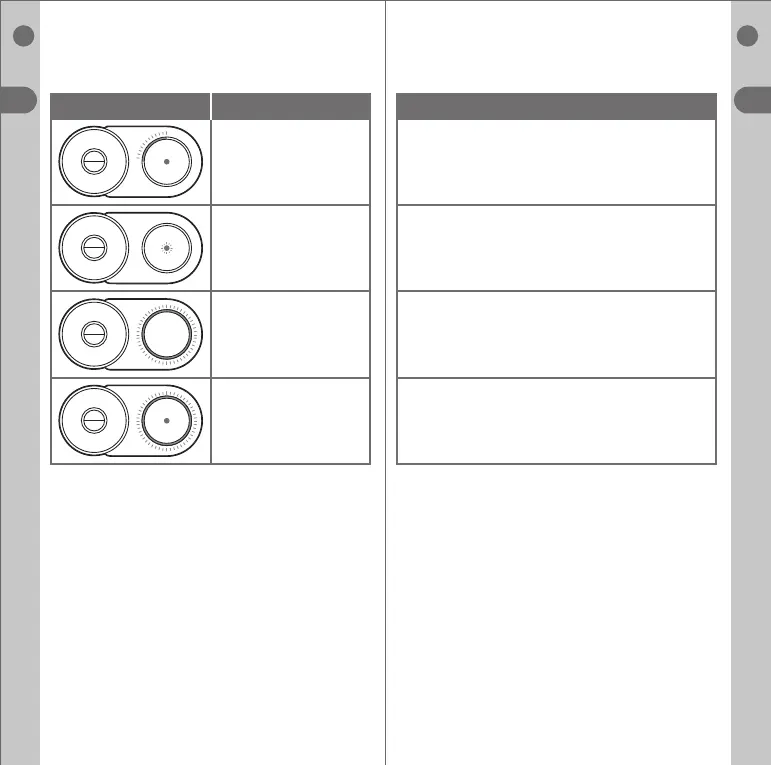
Error Code Possible Cause
Low battery
• Battery temperature
outside of limits.
• Battery voltage outside
of limits.
• Device temperature
outside of limits.
• Battery voltage outside
of limits.
• Battery current outside
of limits.
• Charging fault.
• Battery voltage outside
of limits.
• Fault with charging.
• Do not start a new session and wait for a few
minutes or until the device temperature has stabilised.
• Stop session / stop charging and wait for a few
minutes or until the device temperature has stabilised.
Reset the device by holding the standard button for
7.5 seconds and waiting for the display and vibrate
cycle to end
• Non recoverable issue. Contact customer care
team for assistance.
Suggested Action
Charge device



 To Next Page