README ver 2.0.doc
060102
B: How to test your GPS receiver ?
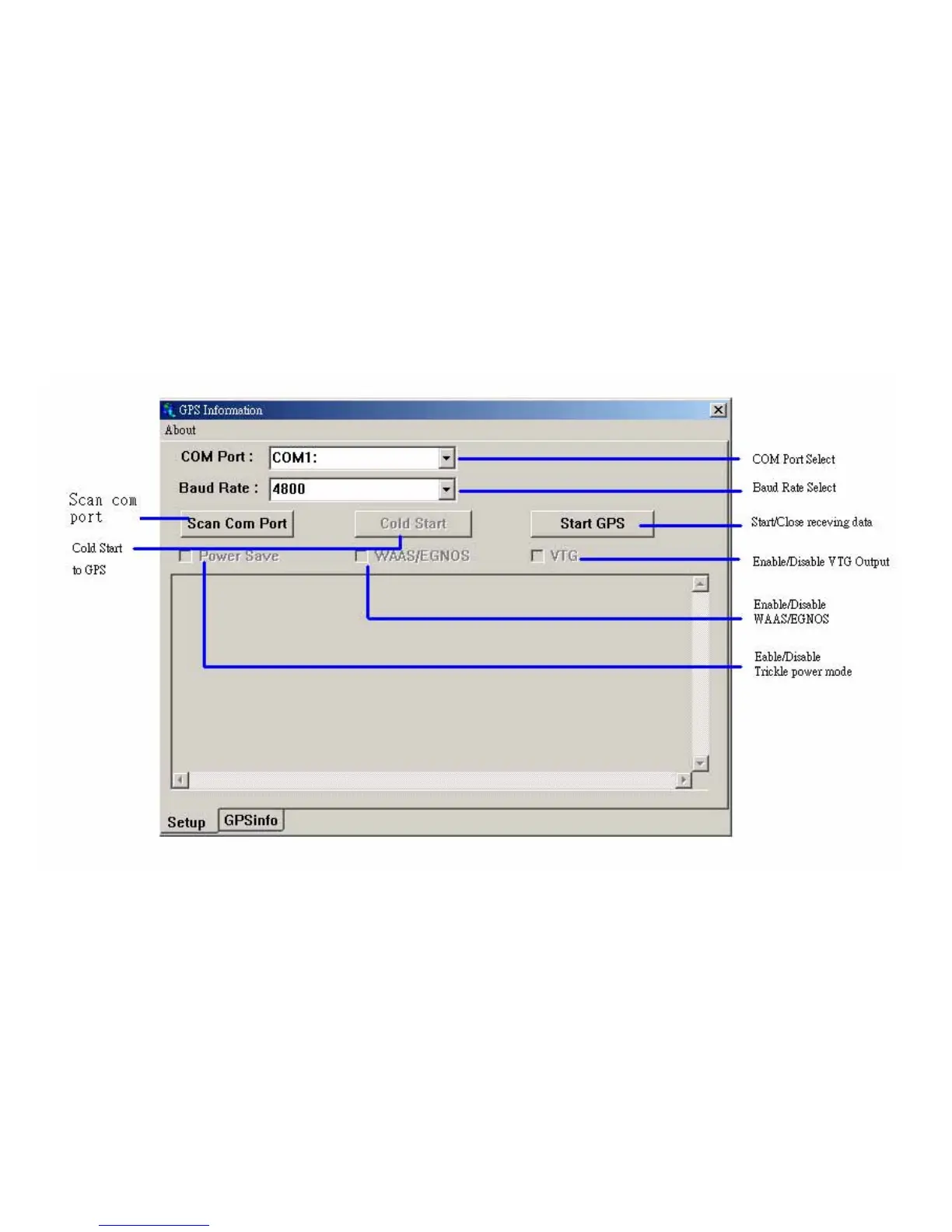
Users can use the GPSinfo.exe program to verify that the GPS is actually configured properly and working.
1. Run the “GPSinfo.exe” to execute the installation procedure of testing program.
2. Select the proper COM port for your GPS device
3. Set COM port to Baud rate: 4800
4. If no mistakes have been made in the configuration process there should be data being displayed in the
window, which is confirmation that the communication between the GPS device and the “GPSinfo.exe”
software is working properly.
5. If the operations above are unsuccessful and cause errors, please exit the software which you currently use
and unplug the GPS from the USB port and reinsert it after 10 seconds to reset the device.



 To Next Page