14
Rev.10.15
PANEL AND KEYBOARD
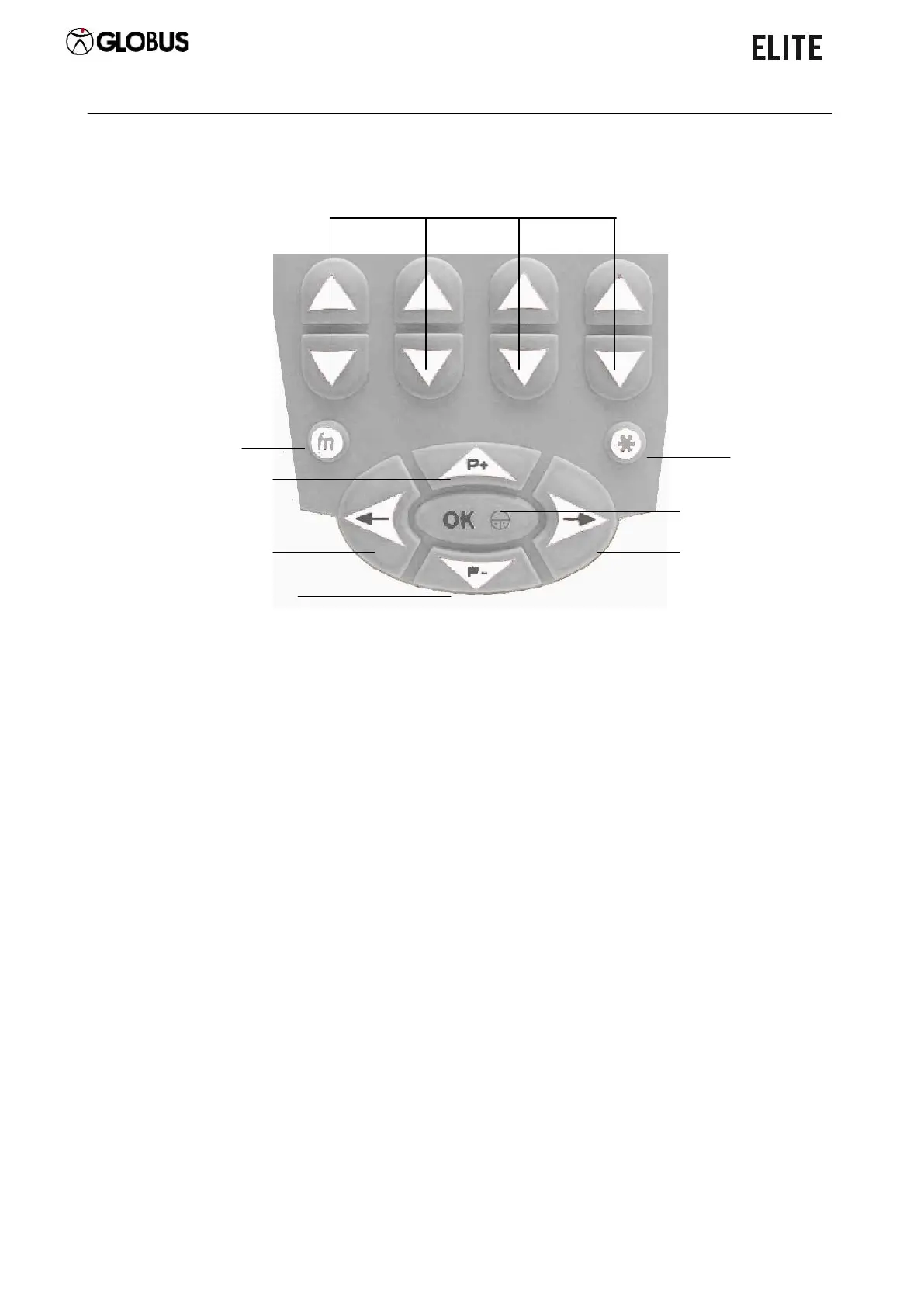
Keyboard
NOTE: When the 3” message appears, it means that pressing the button for 3
seconds the function is activated.
It confirms the selection. While a program is running, it
activates the pause.
3” = ON/OFF.
It moves the selection to the left.
It returns to the previous selection.
3” = While a program is running, it returns to the previous
phase.
It moves the selection upwards.
While a program is running, it increases the intensity of the
4 channels simultaneously.
It moves the selection downwards.
While a program is running, it decreases the intensity of
the 4 channels simultaneously.
It moves the selection to the right.
3” = While a program is running, it moves to the next
phase.
Increase/Decrease intensity button


 To Next Page