weBBoat 4G
17
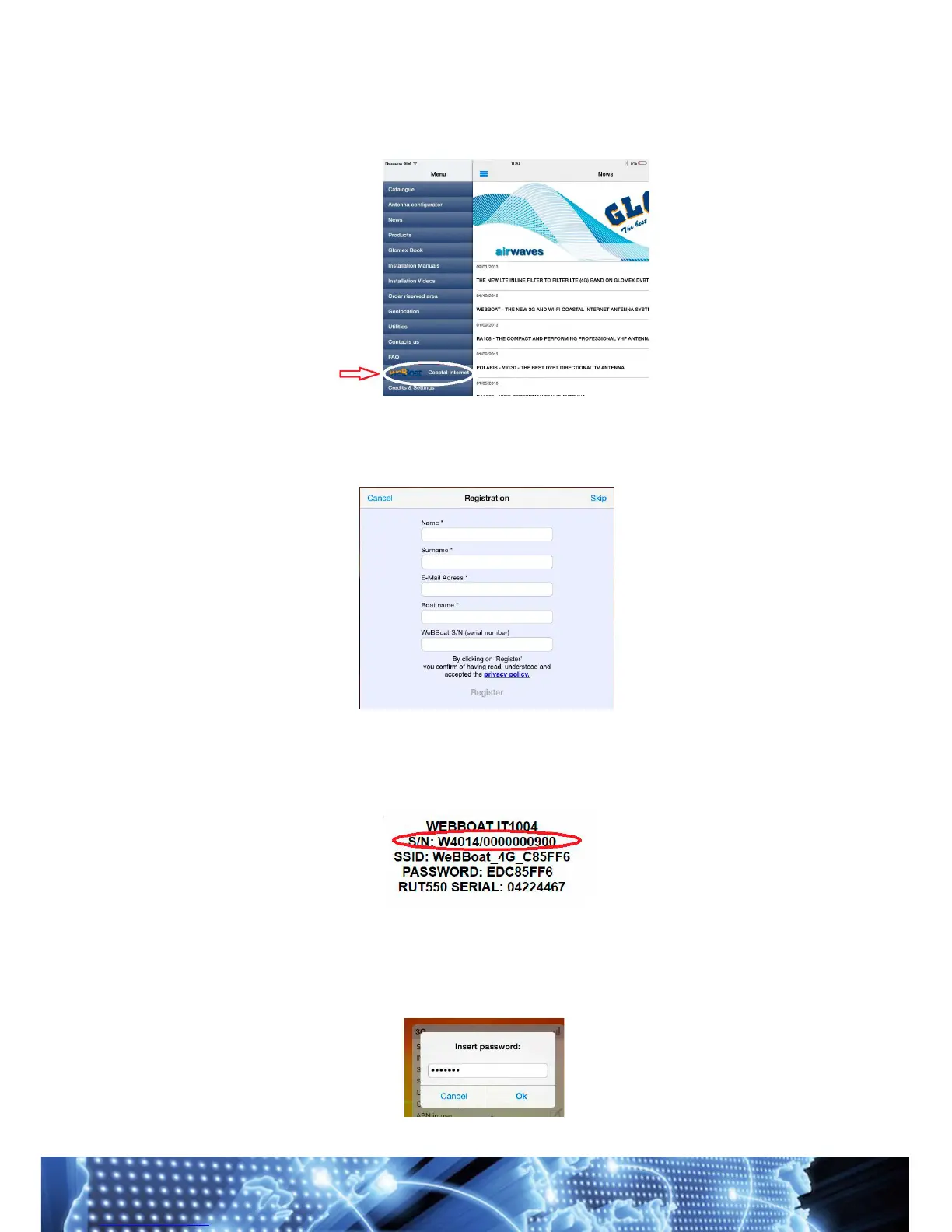
After selecting the language, open the drop-down menu on the left and
select “weBBoatCoastal Internet” (Fig. 16).
When you first open the app you will be asked to record some data, fill in the
request form, then click the Registra/Salva [Record/Save] button and
wait (Fig. 17).
IMPORTANT: Fill in the WeBBoat S/N (serial number) field with the
correct code, located on the first page of this manual or on the box or on
the router inside the WeBBoat (Fig. 18).
If the WeBBoat S/N (serial number) field is not complete, we can
not guarantee immediate assistance.
When you arte prompted for a password, enter admin01
(Fig. 19)



 To Next Page