weBBoat 4G
18
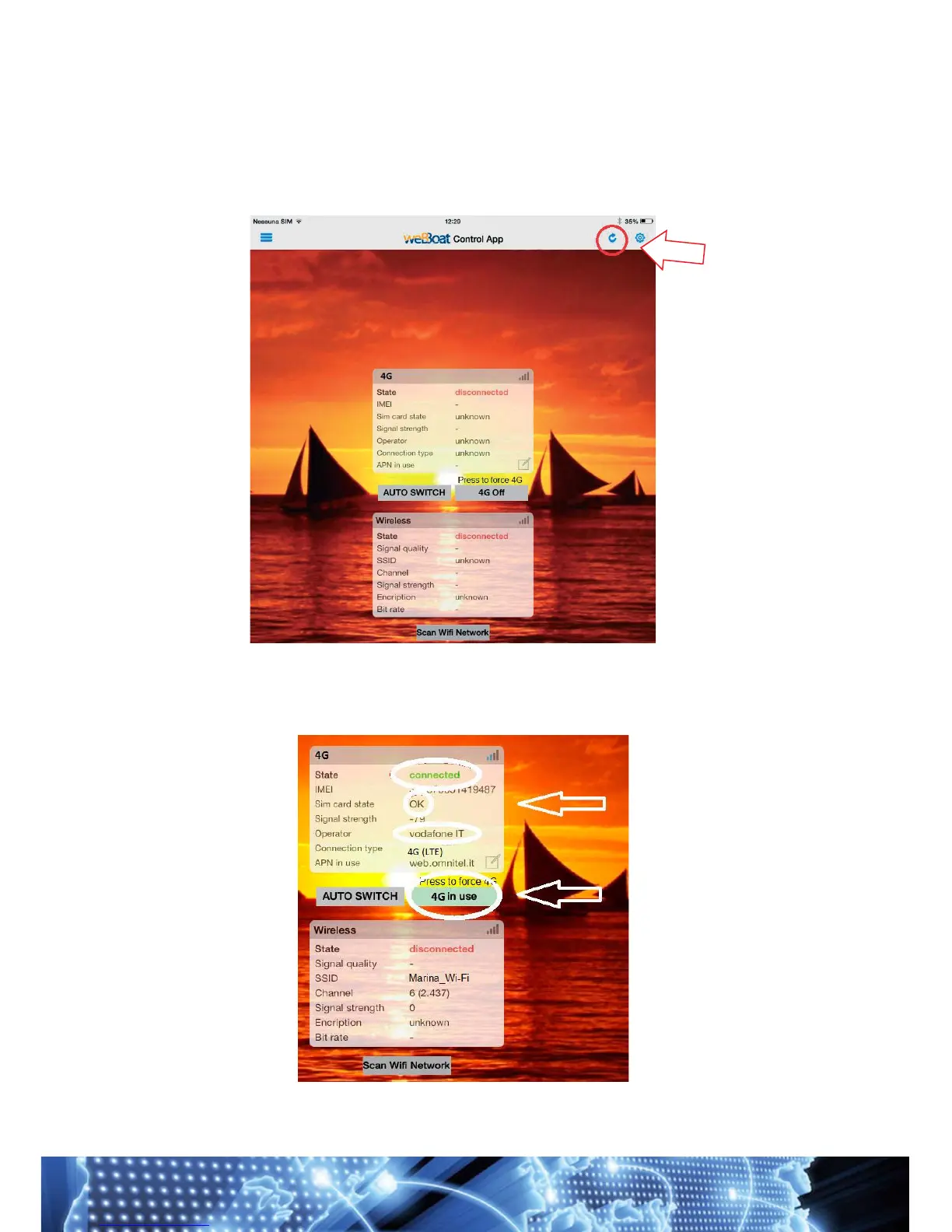
After your registration, the page "weBBoat control App" will open. Some
information may be missing on the page, in this case you must refresh
it. Click the refresh button at the top of the page (Fig. 20) and wait until the
process is complete. This could take a while.
Once refreshed, the page will have all the necessary information. You will
also notice that the "4G in use" button is green; this means that the 4G is
active (Fig. 21).



 To Next Page