This document provides operating instructions for the Glow-worm Ultimate 3 30c and 35c models, which are heat generators designed for closed central heating installations and hot water generation. The manual emphasizes safety, proper operation, and maintenance to ensure the product's longevity and efficient performance.
Function Description
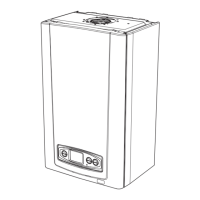
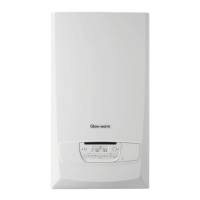
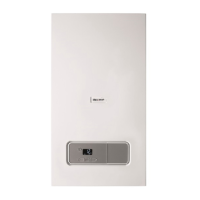
The Glow-worm Ultimate 3 is a gas-fired condensing boiler intended for use with natural gas systems. It functions as a heat generator for both central heating and domestic hot water. The product is designed to provide efficient heating and hot water, with features that allow users to control temperature settings and operating modes. It incorporates safety devices to prevent scalding, explosions, and other hazards. The boiler's operation is managed through a user interface that displays important information such as heating flow temperature, filling pressure, operating mode, and fault codes.
The product includes a timer function, allowing users to schedule heating intervals. It also features a warm start function for hot water, which can be activated or deactivated. The boiler automatically adjusts the actual heating flow temperature based on the selected operating mode and external controls.
Usage Features
The Glow-worm Ultimate 3 offers several user-friendly features for controlling heating and hot water:
- Operating Modes: Users can select from various operating modes, including "Heating + hot water," "Heating only," "Hot water only," and "No requirement." These modes are easily accessible via the "mode" button on the control panel.
- Temperature Settings: The hot water temperature can be set between 35°C and 60°C, with an "Eco hot water temperature" option ranging from 35°C to 50°C. The heating flow temperature can be adjusted between 10°C and 60°C. These settings can be controlled directly on the boiler or via an external controller, if connected.
- Timer Function: A built-in timer allows users to program specific time intervals for the heating mode to be switched on or off. This feature helps optimize energy consumption by ensuring heating is active only when needed.
- Standby Mode: The product can be switched to standby mode by pressing the power button for less than three seconds. In standby, the display turns off, but the frost protection function remains active, and the main power supply is not interrupted.
- Frost Protection: The boiler has an integrated frost protection function that activates the boiler and pump when the heating circuit temperature drops to 12°C. The pump stops when the minimum water temperature of 15°C is reached. If the burner ignition temperature (7°C) is reached, the burner switches on and operates until the anti-cycling temperature (35°C) is achieved. For comprehensive system protection, especially when away for prolonged periods, an external controller or professional draining of the system is recommended.
- System Pressure Check: Users are advised to check the central heating system pressure monthly. The ideal pressure range is between 0.1 MPa and 0.15 MPa (1.0 bar and 1.5 bar), displayed on the user interface. If the pressure is too low, water needs to be added to the heating installation.
- Fault Code Display: In case of a fault, the display shows a fault code (F.xx). If multiple faults occur, the codes are displayed alternately. Users are instructed to contact a competent person if a fault code appears.
- Basic Display: The basic display shows the filling pressure in the heating installation and the current operating mode. The display automatically reverts to the basic display after five seconds of inactivity.
Maintenance Features
The manual outlines essential maintenance activities to ensure the product's safe and reliable operation:
- Annual Inspection: An annual inspection by a competent person is a prerequisite for ensuring the product remains permanently ready, safe, reliable, and has a long working life.
- Caring for the Product: The casing should be cleaned with a damp cloth and a little solvent-free soap. Users are warned against using sprays, scouring agents, detergents, solvents, or cleaning agents that contain chlorine, as these can cause material damage.
- Condensate Drain Pipework and Tundish Check: The condensate drain pipework and tundish must always be penetrable. Regular checks for faults and blockages are necessary. Any obstructions should be rectified by a competent person.
- Filling the Heating Installation: The heating installation must be filled with suitable heating water to prevent material damage from calciferous, corrosive, or chemically contaminated water. The competent person is responsible for the initial filling and water quality, while the operator is responsible for subsequent top-ups. All radiator valves and stop cocks (gas, heating flow/return, cold water) must be open during this process.
- Troubleshooting Guide: The manual includes a troubleshooting section with a table that helps users detect and rectify common faults. This guide provides causes and measures for issues such as the product not starting up, lack of hot water, heating not working, insufficient or excessive system pressure, and failed ignition attempts. If problems persist after these checks, users are advised to contact a competent person.
- Decommissioning: For temporary decommissioning, the product can be switched off via the main switch, ensuring no risk of frost. For extended periods, the gas isolator cock and cold water stop cock should also be closed. Permanent decommissioning must be carried out by a competent person.
- Recycling and Disposal: The installer is responsible for disposing of the packaging. The product itself, if marked with the relevant symbol, should not be disposed of with household waste but handed over to a collection center for old electrical or electronic appliances. Batteries, if present and marked with the symbol, should be disposed of at a collection point for batteries.

 Need help?
 General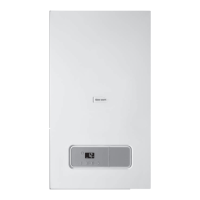


 To Next Page