GMC Acadia/Acadia Denali Owner Manual (GMNA-Localizing-U.S./Canada/
Mexico-9803770) - 2017 - crc - 7/12/16
In Brief 21
o or p : Press to go to the
previous or next menu option.
w or x : Press to go to the next or
previous selection.
V : Press to select a highlighted
menu option.
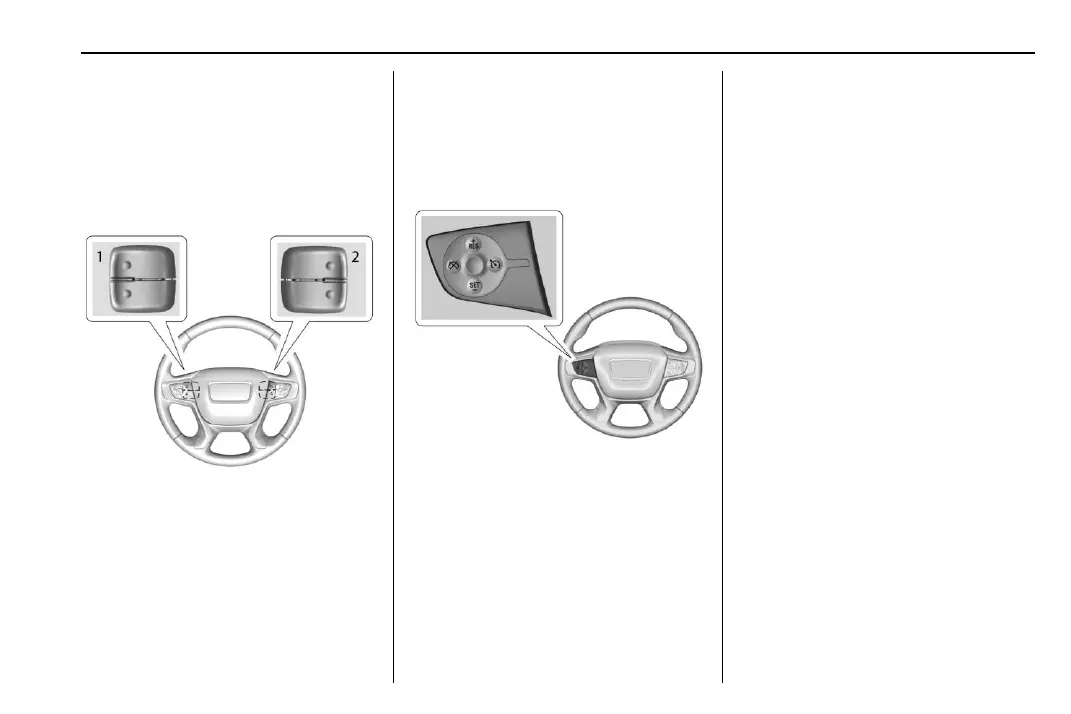
The favorite and volume switches
are on the back of the steering
wheel.
1. Favorite: When on a radio
source, press to select the next
or previous favorite. When on a
media source, press to select
the next or previous track.
2. Volume: Press to increase or
decrease the volume.
See Steering Wheel Controls 0 116.
Cruise Control
J : Press to turn the system on
and off. A white indicator appears in
the instrument cluster when
turned on.
RES+ : If there is a set speed in
memory, press briefly to resume to
that speed or press and hold to
accelerate. If the cruise control is
already active, use to increase
vehicle speed.
SET− : Press briefly to set the
speed and activate cruise control.
If the cruise control is already
active, use to decrease vehicle
speed.
* : Press to disengage cruise
control without erasing the set
speed from memory.
See Cruise Control 0 244 or
Adaptive Cruise Control 0 246 (if
equipped).



 To Next Page