GMC Acadia/Acadia Denali Owner Manual (GMNA-Localizing-U.S./Canada/
Mexico-9803770) - 2017 - crc - 7/12/16
Driving and Operating 241
If d comes on and stays on:
1. Stop the vehicle.
2. Turn the engine off and wait
15 seconds.
3. Start the engine.
4. Drive the vehicle.
If
d comes on and stays on, the
vehicle may need more time to
diagnose the problem. If the
condition persists, see your dealer.
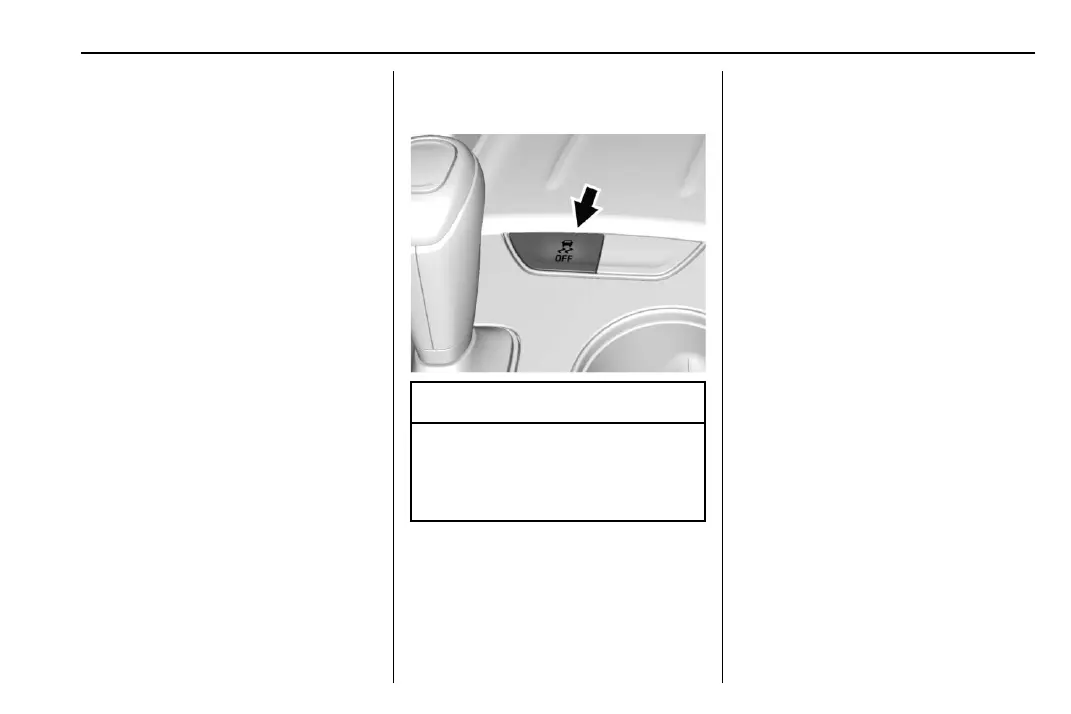
Turning the Systems Off
and On
Caution
Do not repeatedly brake or
accelerate heavily when TCS is
off. The vehicle driveline could be
damaged.
To turn off only TCS, press and
release
g. The Traction Off light i
displays in the instrument cluster
and the appropriate DIC message
displays. See Ride Control System
Messages 0 154.
To turn TCS on again, press and
release
g. The Traction Off light i
displayed in the instrument cluster
will turn off.
If TCS is limiting wheel spin when
g
is pressed, the system will not turn
off until the wheels stop spinning.
To turn off both TCS and StabiliTrak,
press and hold
g until the Traction
Off light
i and StabiliTrak OFF
light
g come on and stay on in the
instrument cluster. The appropriate
DIC message displays. See Ride
Control System Messages 0 154.
To turn TCS and StabiliTrak on
again, press and release
g. The
Traction Off light
i and StabiliTrak
OFF light
g in the instrument cluster
turn off.
Adding accessories can affect the
vehicle performance. See
Accessories and
Modifications 0 283.



 To Next Page