GMC Acadia/Acadia Denali Owner Manual (GMNA-Localizing-U.S./Canada/
Mexico-9803770) - 2017 - crc - 7/12/16
256 Driving and Operating
vehicle’s hitch ball with a trailer
coupler. Select the trailer guidance
line button, then align the trailer
guidance line over the trailer
coupler. Continuously steer the
vehicle to keep the guidance line
centered on the coupler when
backing. RVC Parking Assist
overlays will not display when the
trailer guidance line is active.
To check the trailer when in a
forward gear above 8 km/h (5 mph),
touch CAMERA on the infotainment
display to view the rear camera.
Press X to exit the view or it will be
removed automatically after
eight seconds.
{
Warning
Use Active Tow only to help back
the vehicle to a trailer hitch or,
when travelling above 8 km/h
(5 mph), to briefly check the
status of your trailer. Do not use
for any other purpose, such as
making lane change decisions.
Before making a lane change,
(Continued)
Warning (Continued)
always check the mirrors and
glance over your shoulder.
Improper use could result in
serious injury to you or others.
Surround Vision
If equipped, Surround Vision
displays an image of the area
surrounding the vehicle, along with
the front or rear camera views in the
infotainment display. The front
camera is in the grille or near the
front emblem, the side cameras are
on the bottom of the outside
rearview mirrors, and the rear
camera is above the license plate.
{
Warning
The Surround Vision cameras
have blind spots and will not
display all objects near the
corners of the vehicle. Folding
side mirrors that are out of
position will not display surround
(Continued)
Warning (Continued)
view correctly. Always check
around the vehicle when parking
or backing.
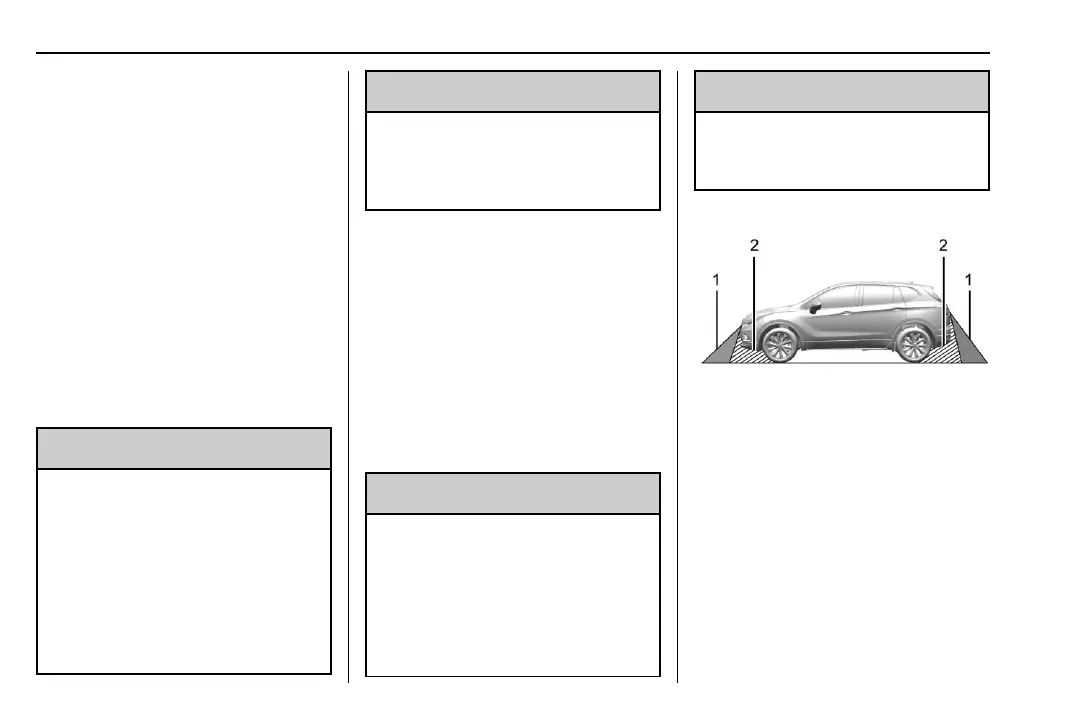
1. Views Displayed by the
Surround Vision Cameras
2. Area Not Shown



 To Next Page