Instruments and Controls 5-3
Steering Wheel Controls
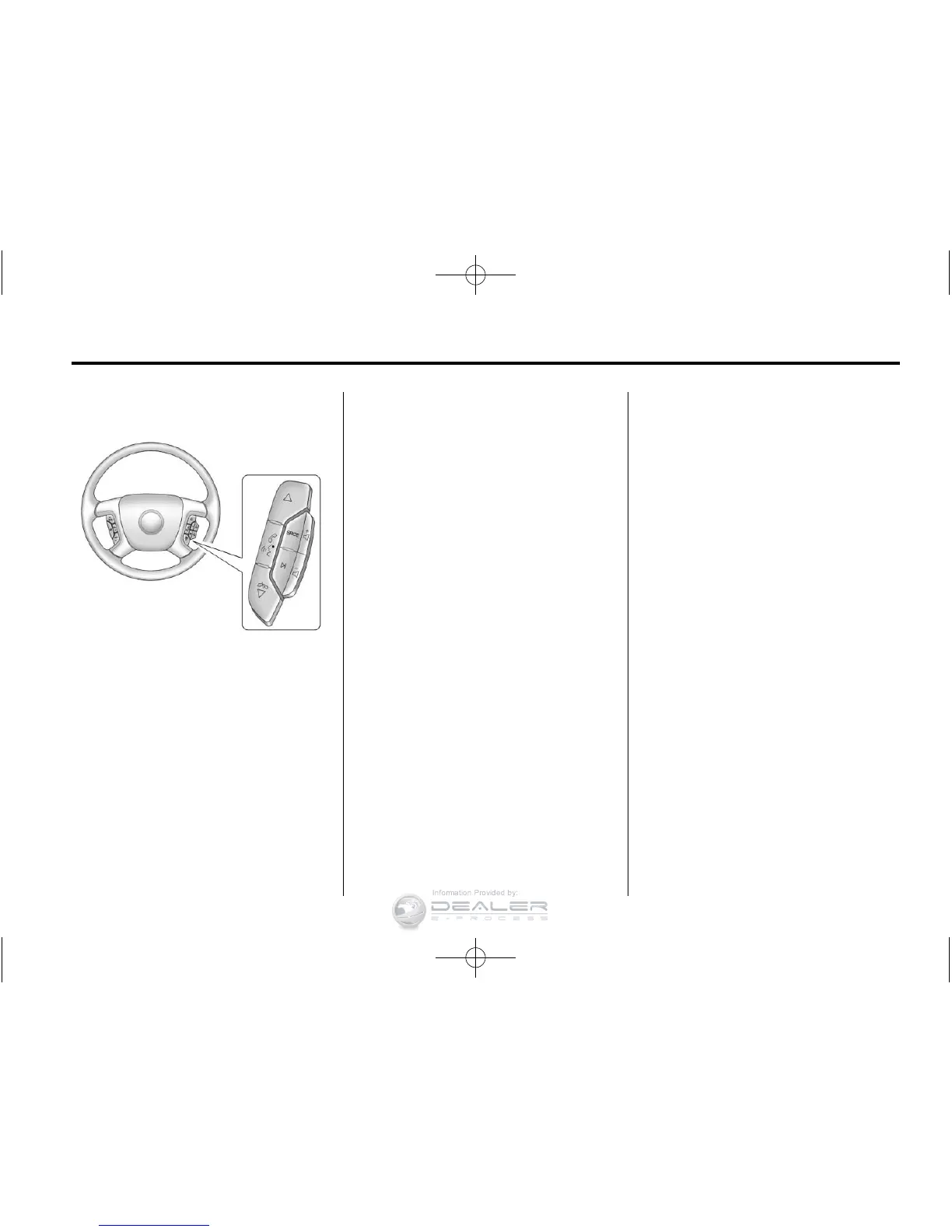
For vehicles with audio steering
wheel controls, some audio controls
can be adjusted at the steering
wheel.
w / x (Next/Previous): Press to
select preset or favorite radio
stations, select tracks on a CD/
DVD, or navigate an iPod
®
or USB
device.
Radio
To select preset or favorite radio
stations:
Press and release
w or x to go to
the next or previous radio station
stored as a preset or favorite.
CD/DVD
To select tracks on a CD/DVD:
Press and release
w or x to go to
the next or previous track.
Selecting Tracks on an iPod or
USB Device (Vehicles without a
Navigation System)
1. Press and hold
w or x while
listening to a song until the
contents of the current folder
display on the radio display.
2. Press and release
w or x to
scroll up or down the list, then
press and hold
w, or press ¨ to
play the highlighted track.
Navigating Folders on an iPod or
USB Device (Vehicles without a
Navigation System):
1. Press and hold
w or x while
listening to a song until the
contents of the current folder
display on the radio display.
2. Press and hold
x to go back to
the previous folder list.
3. Press and release
w or x to
scroll up or down the list.
.
To select a folder, press
and hold
w, or press ¨
when the folder is
highlighted.
.
To go back further in the
folder list, press and
hold
x.



 To Next Page