1-12 In Brief
Manual Reclining Seatbacks
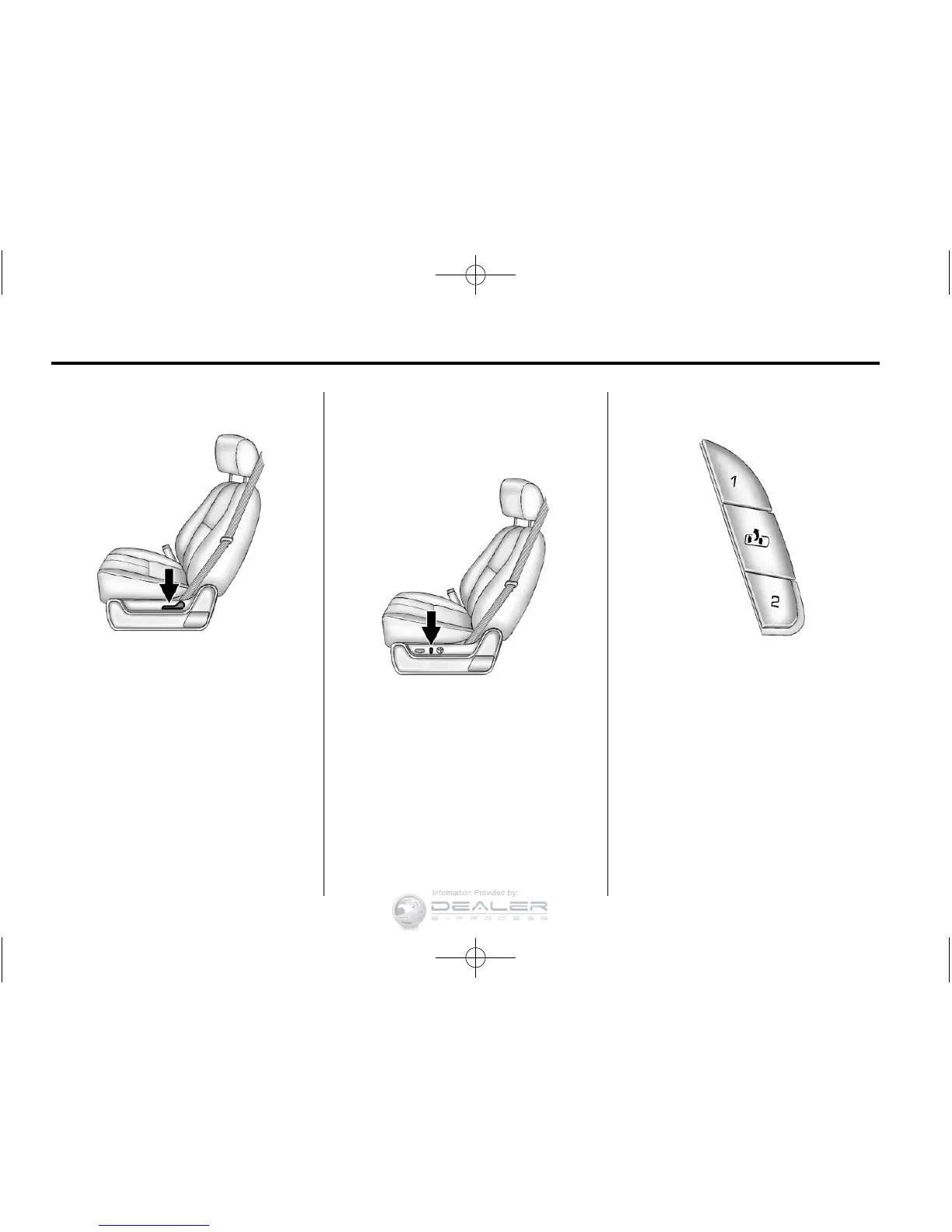
On vehicles with manual reclining
seatbacks, the lever is on the
outboard side of the seat.
To recline the seatback:
1. Lift the recline lever.
2. Move the seatback to the
desired position, then release
the lever to lock the seatback in
place.
3. Push and pull on the seatback to
make sure it is locked.
See Reclining Seatbacks
on
page 3‑7
for more information.
Power Reclining Seatbacks
On vehicles with power reclining
seatbacks, the control is on the
outboard side of the seat.
To recline the seatback, tilt the top
of the control rearward.
To bring the seatback forward, tilt
the top of the control forward.
See Reclining Seatbacks
on
page 3‑7
for more information.
Memory Features
On vehicles with the memory
feature, the controls on the driver
door are used to program and recall
memory settings for the driver seat,
outside mirrors, and the adjustable
throttle and brake pedals, if the
vehicle has this feature.



 To Next Page