In Brief 1-27
Navigation System
The vehicle's navigation system
(if equipped) provides detailed maps
of most major freeways and roads
throughout the United States and
Canada. After a destination has
been set, the system provides
turn-by-turn instructions for reaching
the destination. In addition, the
system can help locate a variety of
points of interest (POI), such as
banks, airports, restaurants,
and more.
See the Navigation System manual
for more information.
Driver Information
Center (DIC)
The DIC display is located at the
bottom of the instrument panel
cluster. It shows the status of many
vehicle systems and enables
access to the personalization menu.
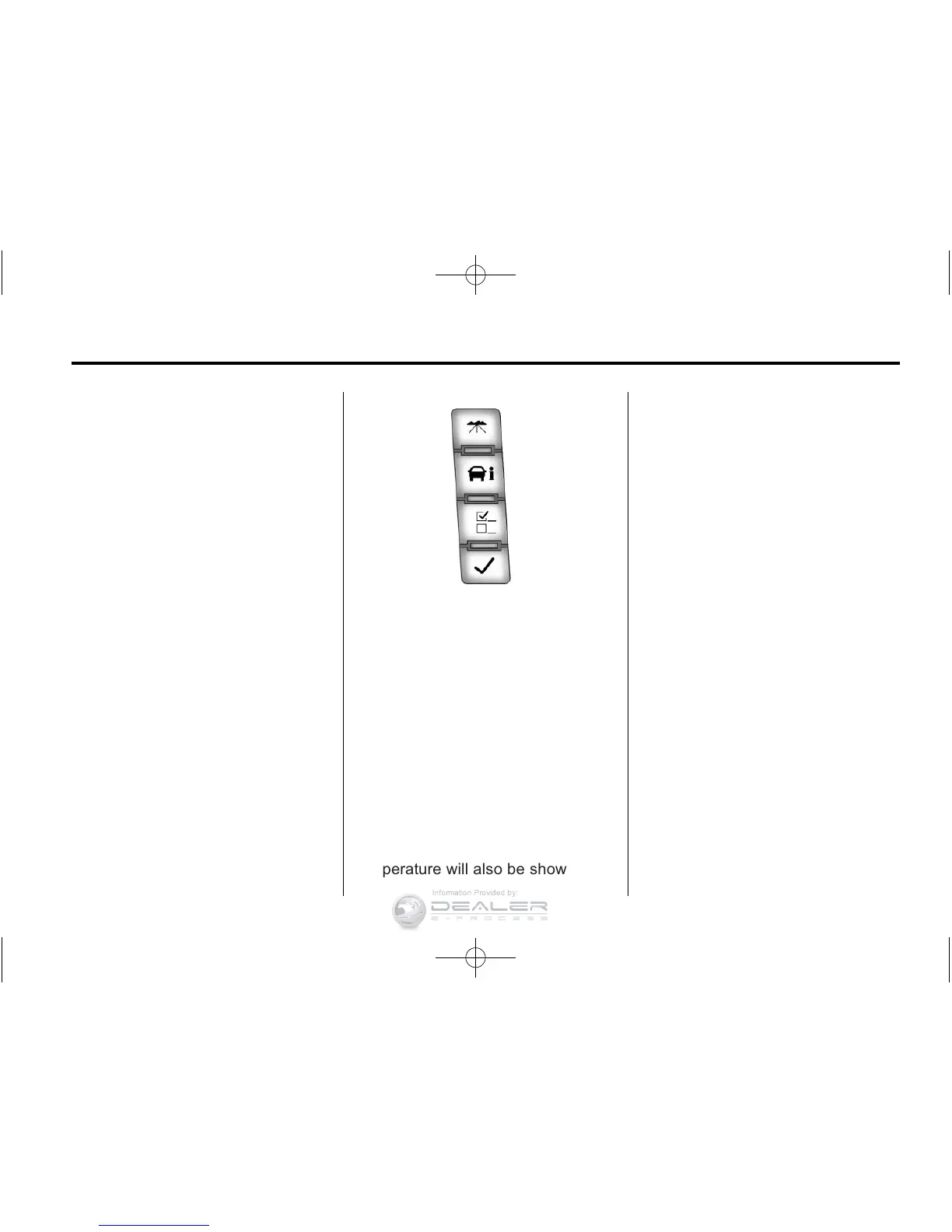
The DIC buttons are located on the
instrument panel, next to the
steering wheel.
Some vehicles do not have the
buttons shown, however some of
the menus can be viewed by using
the trip odometer reset stem.
3 : Press this button to display
the odometer, trip odometer, fuel
range, average economy, fuel used,
timer, transmission temperature, and
instantaneous economy and Active
Fuel Mangement™ indicator. The
compass and outside air
temperature will also be shown in
the display. The temperature will be
shown in °C or °F depending on the
units selected.
T : Press this button to display
the oil life, units, tire pressure
readings for vehicles with the Tire
Pressure Monitor System (TPMS),
trailer brake gain and output
information for vehicles with the
Integrated Trailer Brake Control
(ITBC) system, engine hours,
compass zone setting, and compass
recalibration.
U : Press this button to customize
the feature settings on the vehicle.
See Vehicle Personalization (with
DIC Buttons)
on page 5‑50
for
more information.
V : Press this button to set or reset
certain functions and to turn off or
acknowledge messages on the DIC.
For more information, see Driver
Information Center (DIC)
on
page 5‑32
.



 To Next Page