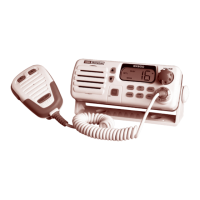
Need help?
Do you have a question about the GME GX558 and is the answer not in the manual?
General specifications for the GX558 transceiver, including frequency range and supply voltage.
Receiver specifications for the GX558, including circuit system and sensitivity.
Transmitter specifications for the GX558, including power output and modulation.
Description of the squelch control function for reducing background noise.
Controls for volume adjustment and panel lighting brightness levels.
Function to immediately switch to Channel 16 for emergency or safety calls.
Explanation of the Liquid Crystal Display panel and its indicators.
Function to monitor Channel 16 and another selected channel simultaneously.
Function to activate or deactivate the channel scanning mode.
Details about the speaker's placement and audio output quality.
Key for storing and removing channels from memory during scanning.
Selector for New Zealand versions to choose weather channels.
Mode selector for Australian versions to enable telephone dialing.
Connection point for the microphone or a telephone style handset.
Keypad for channel selection and telephone number entry.
Key for switching transmitter output power between HIGH and LOW.
Socket for connecting an external speaker for improved audio monitoring.
Label containing serial number for identification and security.
Connection for a 50 ohm antenna; proper connection is crucial for transmission.
Connector for the 13.8 Volt DC power supply; includes fuse details.
Socket for connecting an optional remote control unit for extended operation.
Number required for OTC Auto Seaphone Direct Dialling in Australia.
Guidelines for physically installing the GX558 transceiver on a vessel.
Instructions for mounting the transceiver using the supplied bracket.
Instructions for flush mounting the GX558 into a bulkhead or dashboard.
Step-by-step instructions for setting up and operating the receiver.
Explanation of the squelch control and its function in noise reduction.
Procedure for selecting different channels using the numeric keypad.
How to immediately switch to Channel 16 for emergency or calling.
How to monitor Channel 16 and another channel simultaneously.
Instructions for adjusting the LCD panel and keypad illumination.
Procedure for making transmissions using the microphone and PTT button.
Guidelines for using Channel 16 for calling and emergency purposes.
Recommendations for using low power output to minimize interference.
How to select between HIGH (25W) and LOW (1W) transmitter power.
Instructions for storing and managing channels in the radio's memory.
Detailed steps for saving specific channels into the memory.
Method to identify which channels have been stored in the radio's memory.
How to switch between Australian and International VHF marine bands.
Information about Channel 87A used by the Australian Yachting Federation.
Details for New Zealand versions regarding weather channel selection.
Procedure for selecting specific weather channels on New Zealand versions.
How to remove or re-install weather channels from memory.
How to scan through available weather channels on New Zealand versions.
Instructions for making direct telephone calls using the Seaphone service.
Procedure for making automatic Seaphone calls from a vessel to shore.
How to redial the last number called using the MEM button.
Procedure for booking shore-to-ship calls via the OTC operator.
How to check for outstanding Seaphone calls from the OTC computer system.
Manual method for making Seaphone calls without direct dialling registration.
List of available channels for Seaphone use in Australia.
Required certifications for operating a VHF marine transceiver in Australia.
Guidelines for using Channel 16 and other standard marine channels.
Overview of the OTC Seaphone service for radio-to-telephone communication.
Factors affecting VHF transmission range, including antenna height and power.
Procedures for distress calls (MAYDAY, PAN PAN) and emergency situations.
Instructions for creating a temporary antenna if the main one is damaged.
Steps for the original purchaser to follow for warranty service or repairs.
Information on GME's commitment to service and spare parts availability.
 General
| Brand | GME |
|---|---|
| Model | GX558 |
| Category | Transceiver |
| Language | English |

 To Next Page