Need help?
Do you have a question about the GME Electrophone TX3400 and is the answer not in the manual?
Lists and describes the primary features like microprocessor control, permanent memory, and scan functions.
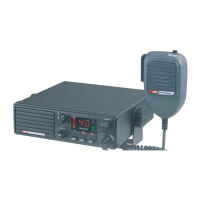
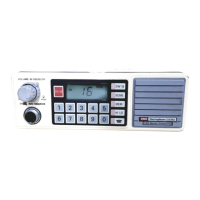
Explains the main controls and display elements of the TX3400 transceiver.
Describes the continuous backlighting of the LCD and keys for night viewing.
Explains how squelch eliminates background noise and how to open/close it.
Details the three preset squelch sensitivity levels (SQL1, SQL2, SQL3).
Details how to select and remove duplex operation on specific channels.
Explains how to store a frequently used channel as a priority.
Describes how to instantly access the stored priority channel.
Allows scanning of all programmed channels in ascending sequence.
Scans channels, including the priority channel, in ascending sequence.
Explains how to switch between Open Scan (OS) and Group Scan (GS).
Details how to add or remove channels from scan memory.
How to initiate the scanning process.
Describes behavior and operations during Open Scan mode.
How to stop the scanning process and return to normal operation.
Guides on how to configure the Group Scan memory and priority channel.
How to initiate scanning in Group Scan mode.
Details behavior and operations during Group Scan mode.
Introduces the Selective Calling system and how it alerts the user.
Explains the unique radio identifier and its purpose.
Allows naming of stored Selcall Idents for easier identification.
Enables silent monitoring of channels until a Selcall Ident is received.
Procedure for entering and sending Selcall Idents.
Confirms successful Selcall transmission with a response signal.
Step-by-step guide to save Selcall Idents into memory.
How to retrieve stored Selcall Idents for use.
Instructions for assigning names to stored Selcall Idents.
How to toggle between displaying Idents and names.
Process for naming stored Selcall Idents.
How the caller's information is shown on the display.
Describes the alarm sound and visual indication for incoming Selcalls.
Methods to stop the Selcall alarm and return to normal operation.
Explains the response signal sent to the caller upon successful Selcall reception.
How to mark specific channels for Quiet mode.
Steps to enable the Quiet mode for tagged channels.
How to disable the Quiet mode.
Process to unmark channels from Quiet mode.
How signals are handled when the Quiet mode is active.
Instructions for scanning while the Quiet mode is active.
Explains transmission limitations when scanning with Quiet mode.
Transmission restrictions during Open Scan.
Transmission capabilities during Group Scan.
Explains the Group Call function for simultaneous communication with multiple radios.
Steps to program and transmit group call identifiers.
Notes the absence of call acknowledge for group calls.
How to save group call identifiers into memory.
Describes how group calls are received and alerted.
How to set the designated channel for paging calls.
Covers setting, naming, and viewing page identifiers.
Details activating, deactivating, receiving, and monitoring within page mode.
Explains the Continuous Tone Coded Squelch System for quieter operation.
Procedure to select desired CTCSS receive and transmit tones.
Table listing CTCSS tones and their corresponding frequencies.
Steps to activate CTCSS for specific channels.
How to disable CTCSS on a channel.
Method to disable specific front panel keys.
A practical example of disabling the SCAN function.
Instructions for mounting the remote head unit bracket.
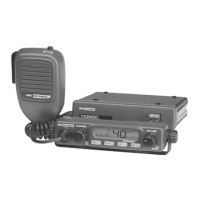
Instructions for mounting, removing, and connecting radio and microphone.
Guide to converting the unit for underdash mounting configuration.
Information on using the optional DIN adaptor for console mounting.
Details on connecting the radio to the vehicle's power supply.
Warnings about overvoltage conditions and the unit's protection system.
Wiring methods for powering the radio with or without ignition.
Information on connecting the antenna to the transceiver.
Explains what repeaters are and their function in extending radio range.
Differentiates between simplex and duplex modes for repeater communication.
Lists UHF channels, frequencies, and their usage types.
Lists general specifications like compliance, frequency range, and channels.
Details receiver performance metrics like bandwidth, sensitivity, and selectivity.
Lists transmitter specifications such as RF output, deviation, and frequency response.
Provides physical dimensions, weight, and connection types.
Outlines the warranty period for the equipment and microphone.
Lists conditions under which the warranty may be voided.
Steps for a customer to follow when making a warranty claim.
States the company's commitment to service and spare parts availability.
 General
| Brand | GME |
|---|---|
| Model | Electrophone TX3400 |
| Category | Transceiver |
| Language | English |

 To Next Page