Need help?
Do you have a question about the GME TX6200 and is the answer not in the manual?
ACMA regulations for telemetry-only applications and prohibited speech transmission.
Instructions for removing and refitting the radio's battery pack.
Procedure for charging the TX6200's rechargeable battery pack.
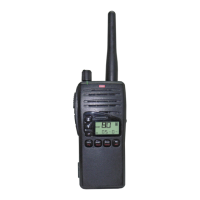
Identification and description of radio controls, buttons, and display elements.
Instructions for adjusting volume, using the function key, and operating the squelch.
Explanation of duplex operation and how to enable/disable it on specific channels.
How to store and recall a priority channel for quick access.
Displaying signal strength and locking/unlocking radio keys.
Procedures for transmitting and normal receiving operations.
Explanation of Open Scan, Group Scan, and how to select scan modes.
How to add channels to memory and initiate the scanning process.
Procedure for stopping the scanning function.
Understanding Selcall Ident numbers and naming them for easier identification.
How to use Quiet Mode to monitor channels without audio alerts.
Storing, recalling, and sending Selcall Ident numbers.
How to use the monitor function to check channel clarity before transmitting.
Information on compatibility between GME-50 and CCIR-38 CTCSS tone sets.
A chart listing CTCSS tones and their corresponding frequencies in Hz.
How to adjust squelch sensitivity settings (SQL-1, SQL-2, SQL-3).
Setting the frequency step size (12.5 kHz or 25 kHz) for user channels.
Steps to enter programming mode for receive-only channels.
Understanding low battery warnings and indicators.
Procedure for charging the battery pack using approved chargers.
Tips for maximizing battery life, including sleep and quiet modes.
Details on power usage from scanning, low transmit power, and general monitoring.
Details on receiver performance, current consumption, and mechanical properties.
Exclusion and limitation of liabilities under consumer law.
Details of GME's warranty terms for defects in materials and workmanship.
 General
| Channel Spacing | 12.5 kHz |
|---|---|
| Modulation | FM |
| Water Resistance | IP67 |
| Channels | 80 |
| Operating voltage | 7.4 V |
| Power Output | 5 Watts |
| Frequency Range | 476.425 - 477.4125 MHz |

 To Next Page