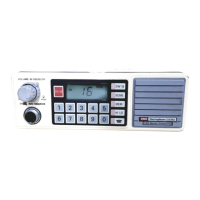
PAGE 2 I N S T R U C T I O N M A N UA L TX6200
Introduction ....................................3
Important Information
.....................4
Emergency & Telemetry channels
.....5
Features
...........................................6
Getting Started
................................7
Basic Operation
................................9
Duplex Operation
.............................9
Adjusting the Receiver Volume
..........9
Function Key
.....................................9
Squelch
.............................................9
Selecting Channels
............................10
Priority Channel
................................10
Signal Strength Meter
........................11
Keylock Feature
.................................11
The HI/LO Power Key
.........................11
Transmitting
......................................11
Receiving
..........................................11
Scanning
........................................12
Overview
.........................................12
Scan Groups
....................................12
Selecting a Scan Group
...................12
Programming Scan Channels
...........12
To Start Scanning
............................13
Scanning in the Open Scan Model
...13
Ending the Scan
..............................13
Using the Group Scan Mode
............14
Setting up the Group Scan
...............14
Scanning in the Group Scan mode ...14
Ending the Scan
..............................15
Using the Group Scan as a Second
Open Scan ......................................15
Selective Calling
.............................15
What is Selcall
.................................15
Selcall Ident Names
.........................16
The Quiet Mode
..............................16
Selcall Memories
.............................16
Entering, Storing and Sending
Selcalls ............................................16
Call Acknowledge............................17
Storing Selcall Idents
.......................17
Recalling Selcall Idents from the
Memory ..........................................17
Naming your Selcall Idents
..............17
Receiving Selcalls
............................18
Quiet Mode
.....................................19
Scanning in the Quiet Mode
............20
Group Calling
..................................21
CTCSS.............................................22
Overview .........................................22
Monitor Function.............................22
Selecting the Required CTCSS Tone
..23
To activate the CTCSS Function on
a Channel
.......................................23
38/50 Tone Set
................................24
CTCSS Tone Frequency Chart
...........24
Menu Functions
.............................25
Squelch Setting Menu Option
..........25
CTCSS Settings Menu Option
...........26
Signal Meter Display Menu Option
...26
Programming User Channels
..........27
Selecting the user channel
Frequency Edit Step Size
..................27
Activating the Programming’ Mode..27
Editing your Programmed Receive
Channels .........................................28
CTCSS .............................................28
Maintaining your battery pack
...... 27
Low Battery Indicators
.................... 27
Battery Charging
............................ 27
Cycling your battery pack
............... 27
Battery Usage
................................ 30
Simplex/Duplex Range
.................. 31
Specifications
................................ 32
Warranty
....................................... 34
GME After Sales Service
................ 35
CONTENTS


 To Next Page