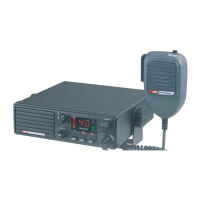
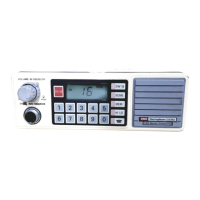
CTCSS tone frequency used is user
programmable. Note that the CTCSS tone you
select will be used for all CTCSS enabled
channels.
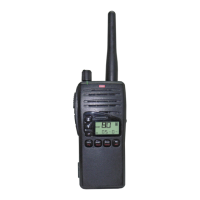
To select the required CTCSS tones on your
radio, use the following procedure:
1. Switch the TX3400 OFF at the volume
control.
2. Press and hold the SQL and SCAN keys
while turning the radio on again. ‘SILENT’
will be flashing and ‘BUSY’ will be visible.
The channel number will now correspond to
one of 50 different CTCSS tones as shown
in the table below. The factory default is 00.
3. To select the desired receive tone, rotate
the channel switch until the required tone
number is displayed.
4. Press and hold the SQL key. The display
will flash and a high beep will be heard as
the receive tone is stored.
5. Now briefly press the SQL key to select the
transmit tone. ‘SILENT’ will be flashing and
‘TX’ will be visible.
6. Select the desired transmit tone using the
channel switch. Press and hold the SQL
key to store the tone.
7. Now switch the radio OFF then ON again to
return to normal operation.
NOTE: To disable the sending or receiving of
CTCSS tones, set either tone to 00. If both
transmit and receive tones are set to 00, the
CTCSS function is disabled and can not be
selected.
To enable the CTCSS function on a channel:
1. Select the required channel.
2. Press and hold the SQL key until a high
beep is heard. ‘SILENT’ will be displayed.
You may activate CTCSS on as many channels
as you wish except channels 1 - 8 (CTCSS is
automatically disabled on repeater channels
and the emergency channel 5).
To de-activate CTCSS, repeat the steps above.
A low beep will be heard and “SILENT” will
disappear.
17
00
01
02
03
04
05
06
07
08
09
10
11
12
0
67.0
69.4
71.9
74.4
77.0
79.7
82.5
85.4
88.5
91.5
94.8
97.4
13
14
15
16
17
18
19
20
21
22
23
24
25
100.0
103.5
107.2
110.9
114.8
118.8
123.0
127.3
131.8
136.5
141.3
146.2
151.4
26
27
28
29
30
31
32
33
34
35
36
37
38
39
40
41
42
43
44
45
46
47
48
49
50
196.6
199.5
203.5
206.5
210.7
218.1
225.7
229.1
233.6
241.8
250.3
254.1
156.7
159.8
162.2
165.5
167.9
171.3
173.8
177.3
179.9
183.5
186.2
189.9
192.8
Tone
No.
Frequency
Hz
Tone
No.
Frequency
Hz
Tone
No.
Frequency
Hz
Tone
No.
Frequency
Hz
CTCSS TONE FREQUENCY CHART


 To Next Page