Main Device Controls
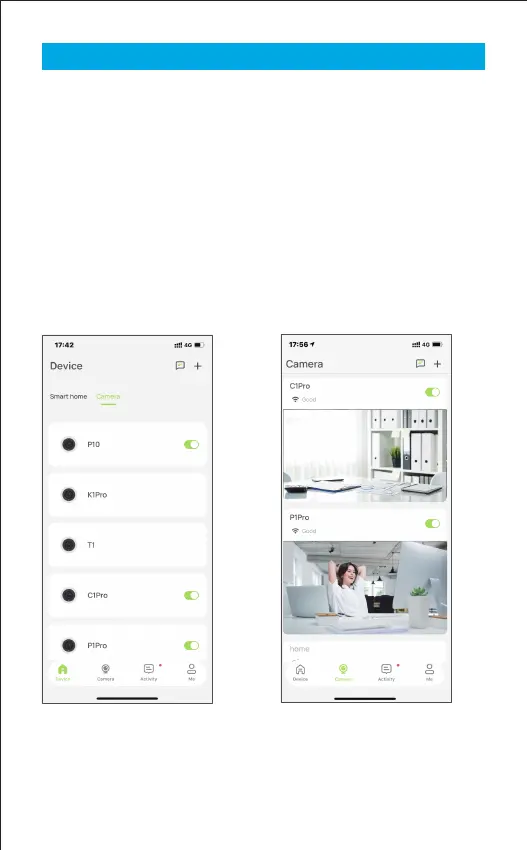
After you have successfully set up your camera, you will see the home
page of the Osaio App. Here you can view and manage all devices
you've added to Osaio. Tap your camera to enter the live view page
and further manage it.
Device Page
You can see all your Osaio devices
on this page.Turn on/off your
camera quickly by tapping the
switch.
Camera Page
You can see all your Osaio cameras
on this page.Turn on/off your
camera quickly by tapping the
switch.
2023-04-13 15:13:00
2023-04-13 15:13:00
Less than a minute ago
5


 To Next Page