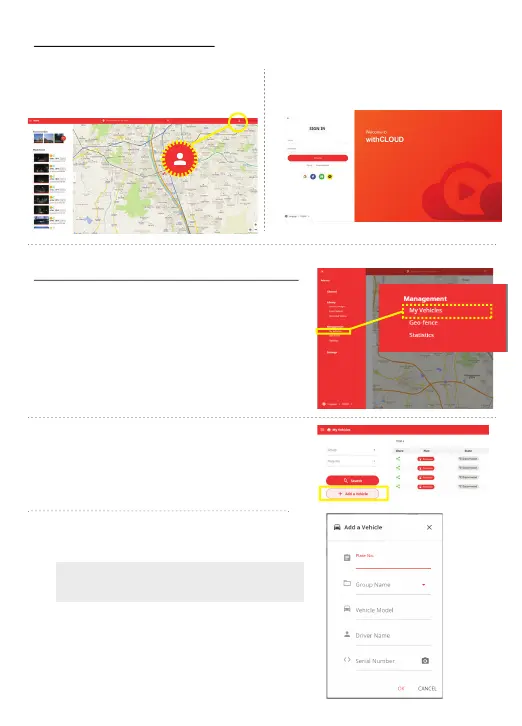
Put your information and click the “Sign
up” button.
When you rst login to the cloud server,
click My Vehicles button from the menu.
Please access the
http://cloud.gnetsystem.com and click the
“Sign up” button.
Join the with Cloud member
http://cloud.gnetsystem.com
&OSPMMUIF7FIJDMF%BTIDBNJOGPSNBUJPO
Click the + Add a Vehicle button and
enroll the vehicle/ Dash cam information
After you input the information, insert the
serial number of your dash camera.
Once the vehicle registration is completed,
the data of the dash camera will be stored
in the withCLOUD server automatically.
The dash camera serial number is mentioned
at the front camera label



 To Next Page