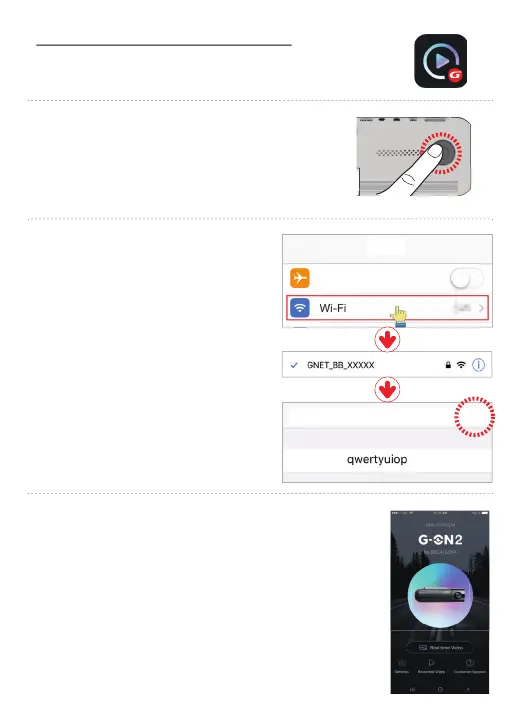
* If the connection fails due to a weak Wi-Fi signal, please
re-insert the Wi-Fi dongle and press the Wi-Fi button on
the device again. When standby mode is on, try it again.
4FUUJOHT
"JSQMBOF.PEF
$BODFM +PJO
1BTTXPSE
&OUFS1BTTXPSE
Press the Wi-Fi® button on the dash camera to enter
standby mode with the voice message “Registration
standby mode” (last 2 minutes)
Go to settings and then Wi-Fi® on your
mobile phone and enter the password
[
qwertyuiop] for the network that
begins with GNET_BB_.
The registration of the dash camera is completed when you
hear “User’s connected”.
How to connect your smart phone - iOS
After installing the G-net application
* G-net application is not available while cloud mode is on.



 To Next Page