08
5. INSTALLATION
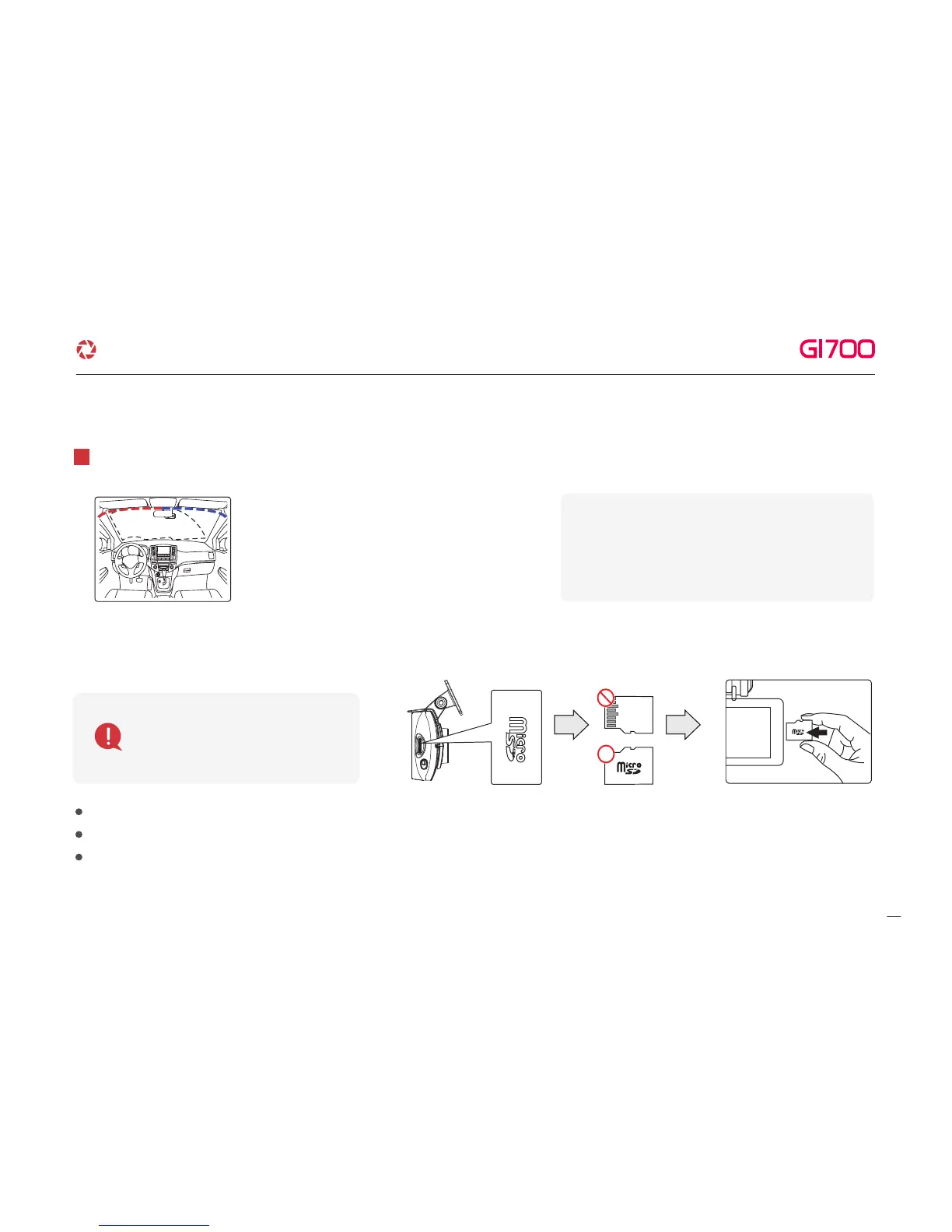
Tuck Power cable and Rear cam connection cable to
roofline and pillar.
6
Misplacing memory card causes Dash cam to not record video data. Therefore, Insert memory in right position.
In case that first use Memory card or after format, memory card will be standby mode for 3min ~ 5min to Copy JDR File system and inspect Memory card.
After voice guide of "start recording" comes. Dash cam starts recording.
·Insert Memory card
Before use memory card,
you should be aware of
caution as below.
※ Caution of installing Dash cam.
▶
Do not install Dash cam outside.
▶
Do not place Dash cam on Driver's View.
·How to install the Dash cam
※Caution : few car navigations may face
GPS reception of interruption. When installing
Power cable and Rear cam connection
cable. Recommend installing each cable in
the opposite direction. For instance, Power
cable is toward driver seat and rear cam
connection cable is toward passenger seat.
G-Net system DASH CAM



 To Next Page