12. WI-FI CONNECTION & FUNCTION
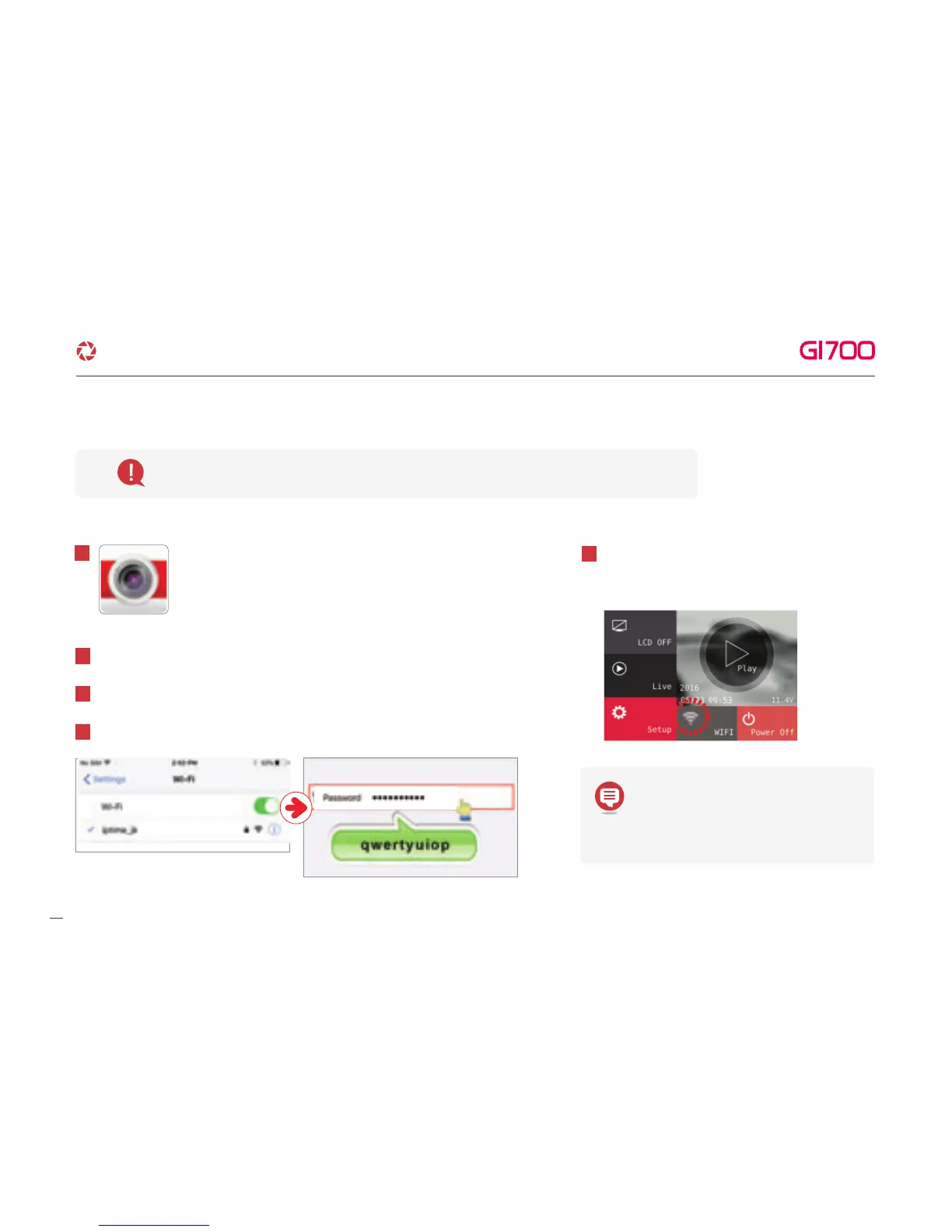
Execute GNET app icon after
installation to Smart phone.
1
Please connect with Smartphone when main screen or turn off the LCD for stabilization.
Turn on Wi-Fi function of Smart phone.
2
Select “GNET_BB_GI500_XXXXX” in the list.
3
Write [qwertyuiop] in the password box and tough the “Join” button.
4
Press the Wi-Fi registration button of product
to activate register standby mode.
(Voice guidance:“Stand-by mode for the registration”)
5
Maintenance time of register standby
mode is 2 minutes. After that, Voice
guidance announce “Stand-by mode
for the registration is released”
·How to connect - iOS
39
G-Net system DASH CAM



 To Next Page