3.4 Configuring the NTRIP Client
After connecting the Wi-Fi network and securing the device, the NTRIP client needs to be configured to
connect to an NTRIP server of your choice.
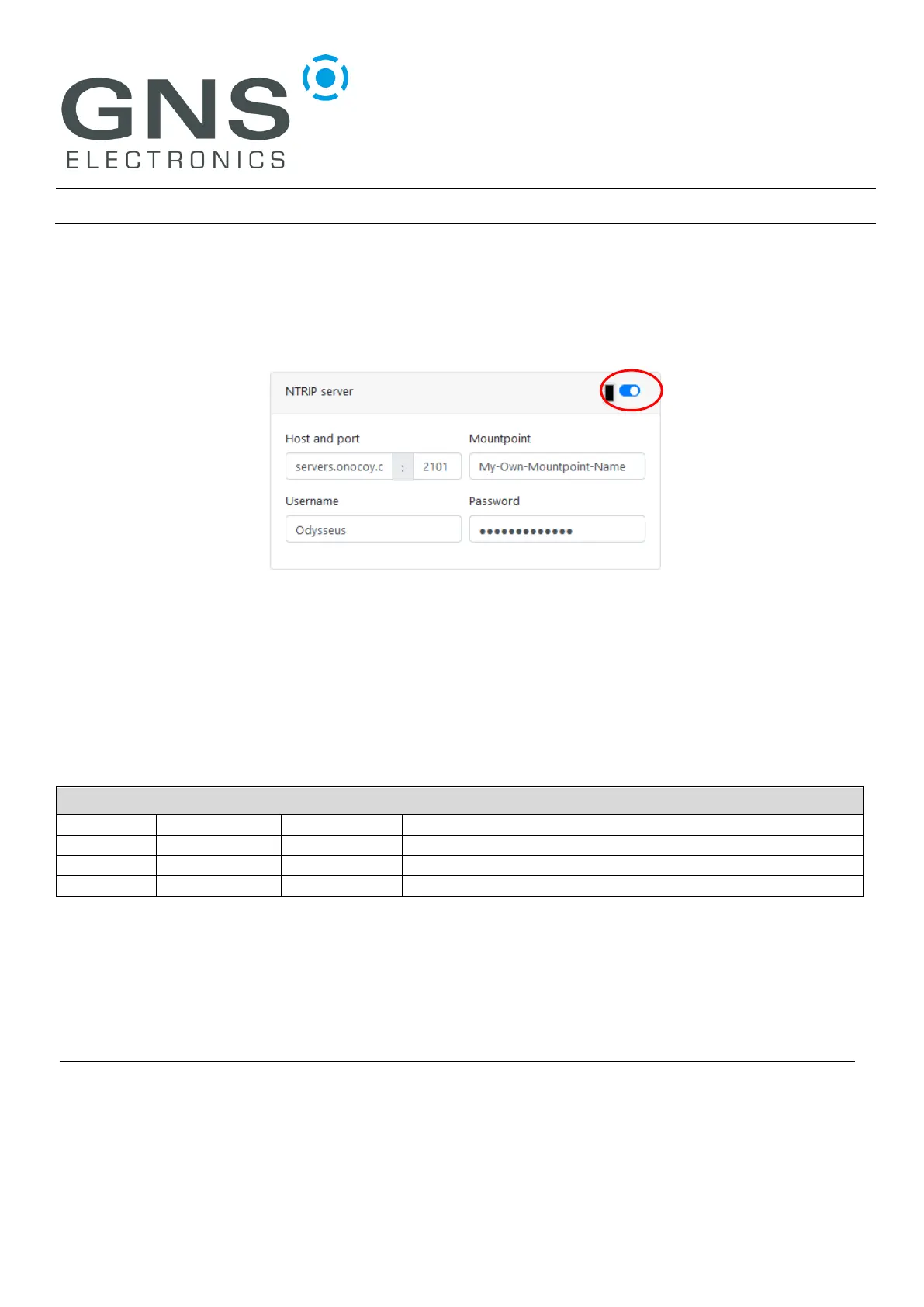
Enable the NTRIP client module by clicking on the switch in the upper right corner of the NTRIP client
pane which will unblur the configuration area:
Enter the host name or IP address of the NTRIP server of your choice and change the port number if
necessary, the standard port 2101 is pre-selected. Enter the Mountpoint, Username and Password as
supplied by the NTRIP server administrator and click the ‘Submit’ Button to activate the changes.
The device re-configures and should be showing a blue double-blink (Wi-Fi) and a green double-blink
(NTRIP client) to indicate success.
4 DOCUMENT REVISION HISTORY
© GNS ELECTRONICS GMBH 2023
THE INFORMATION IN THIS DOCUMENTATION DOES NOT FORM ANY QUOTATION OR CONTRACT. TECHNICAL DATA ARE DUE TO BE CHANGED WITHOUT NOTICE. TECHNICAL RECOMMENDATIONS ARE
JUST FOR REFERENCE.
NO LIABILITY WILL BE ACCEPTED BY THE PUBLISHER FOR ANY CONSEQUENCE OF THIS DOCUMENT'S USE.
REPRODUCTION IN WHOLE OR IN PART IS PROHIBITED WITHOUT THE PRIOR WRITTEN CONSENT OF THE COPYRIGHT OWNER


 To Previous Page