Steering and Power Control Handle
Power “GO” Button: To turn on the mo-
tor, press the “GO” button with
your thumb at the end of the
steering handle. To turn off the
motor, release thumb pressure from the
“GO” button.
IMPORTANT! Be alert for swimmers
near your boat! Always release the
“GO” button to turn off your motor when
others approach your boat.
Steering: When in forward motion, to
steer right, push the handle forward. To steer left, pull the handle back.
Steering directions are opposite when in reverse.
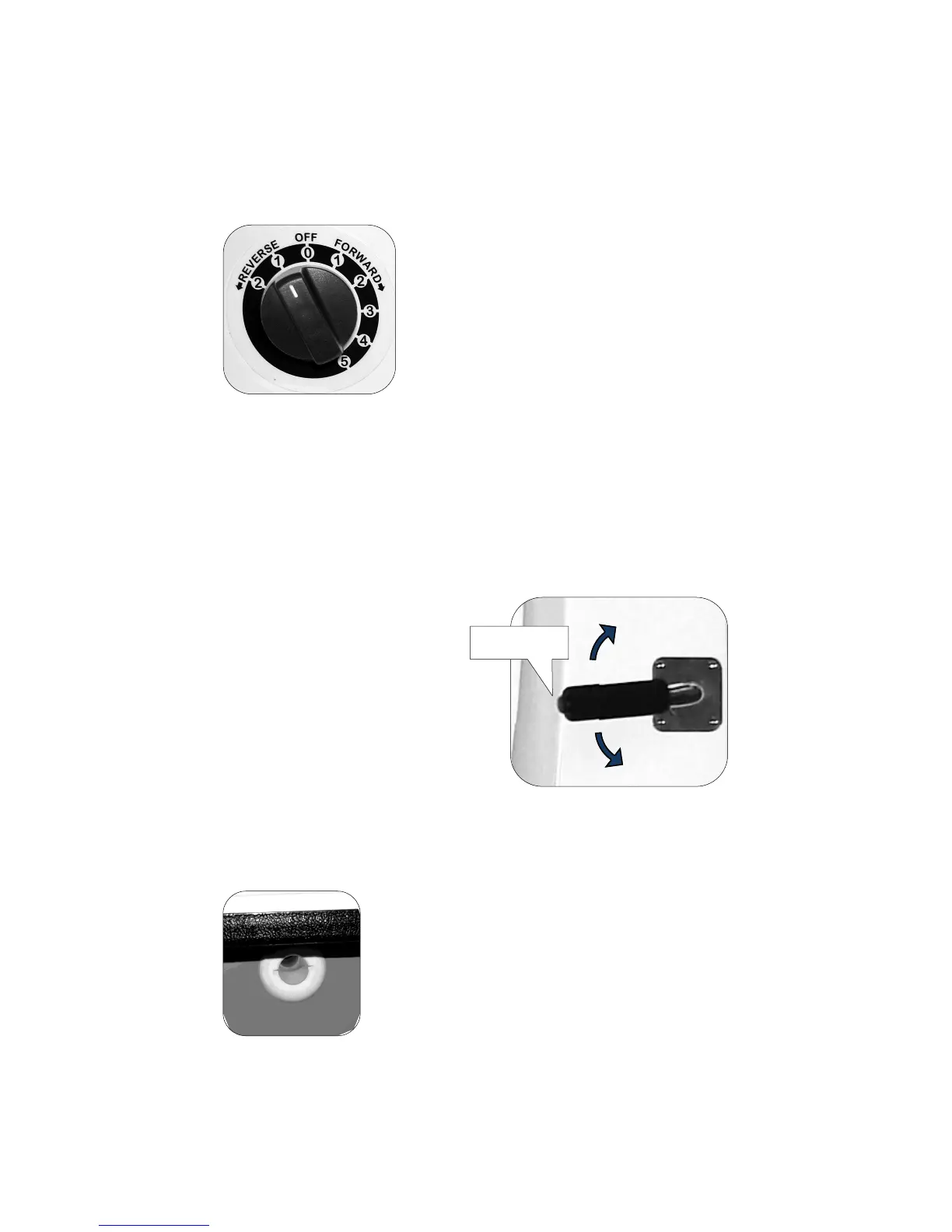
Speed Control
Each number indicates a rate of speed.
“OFF 0” is neutral with no forward or reverse
motion.
FORWARD 1 thru 5. 1 is the slowest forward
speed, good for navigating around other
boats, for docking and beaching. Each higher
number increases speed, with 5 being the
highest speed.
REVERSE 1 is a slow speed, good for navigating around other boats
and for docking.
REVERSE 2 is a higher speed, good for quickly slowing the boat and
for spinning weeds off of the prop.
The speed can be changed while the boat is underway, but it is
recommended to stop the motor (release thumb pressure from the “GO”
button) to change direction. Changing direction suddenly while
underway could damage the motor.
“GO” Button
Right
Le turn
Automatic bilge pump. Any water that accumu-
lates inside the hull will activate the bilge pump to
automatically remove the water. Water is ejected
through the hull via the round plastic fitting found
on the port side of your Go-Float (shown at left).
Keep this opening unobstructed during use of
your Go-Float.
Automatic Bilge Pump


 To Next Page