10
2 Printer Setup
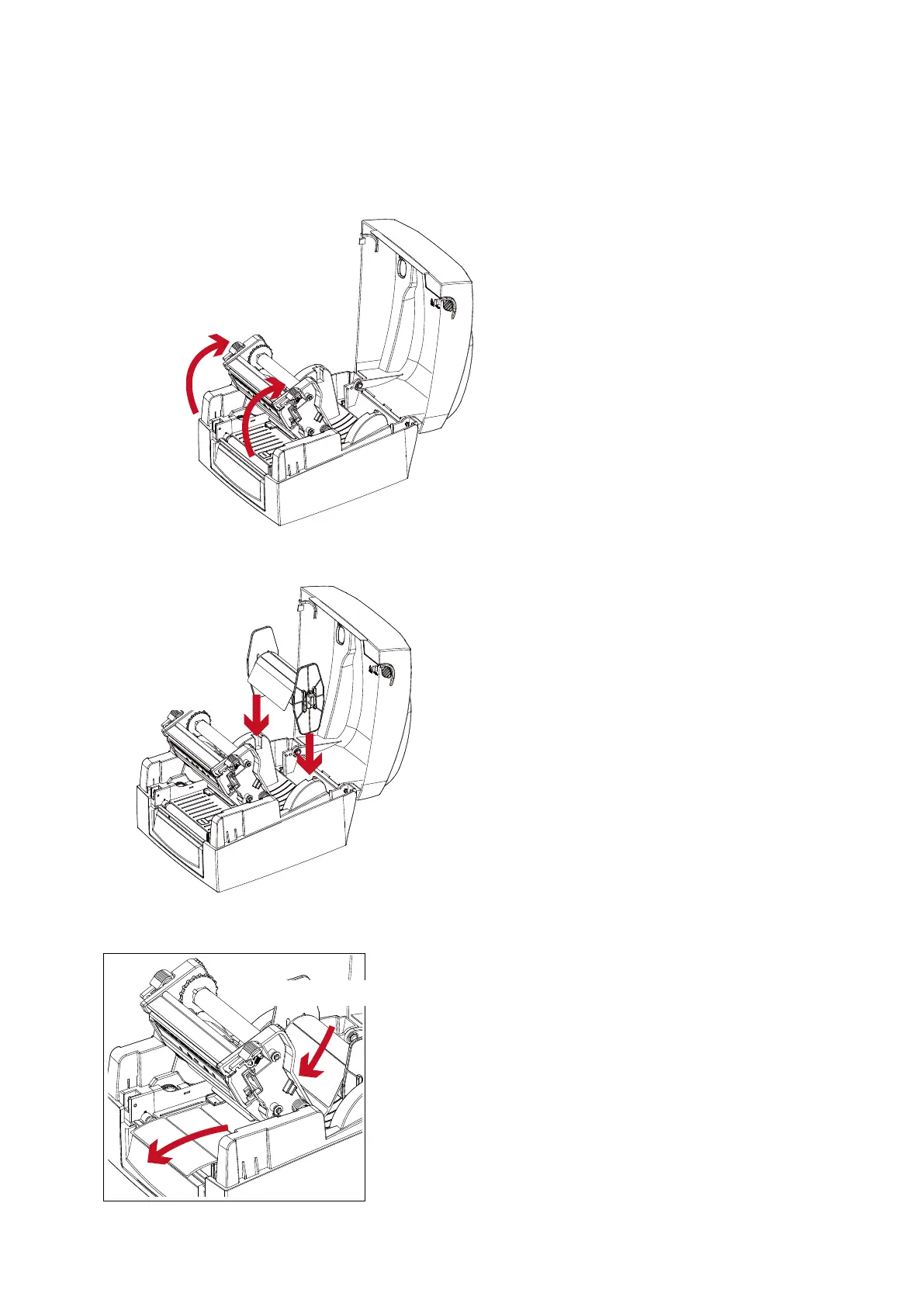
Load The Label Roll Module On The Printer
1. Release the printing mechanism and lift it.
2. Place the label roll module on the printer.
Place on the printer
Open the printing mechanism
3. Pass the label through the printing mechanism.
Through the printing mechanism



 To Next Page