30
5 Maintenance And Adjustment
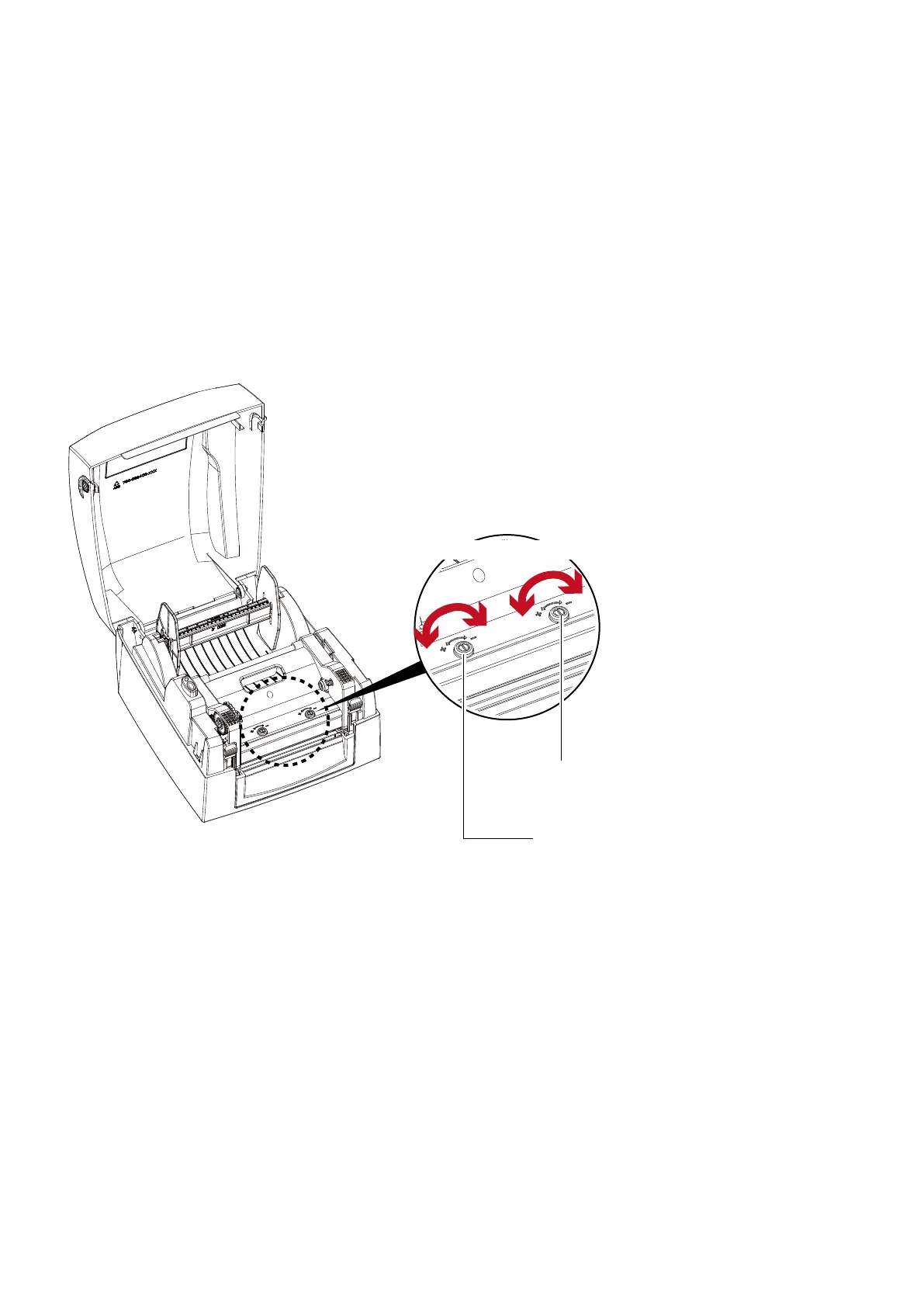
5.2 Adjusting The Print Head Pressure
When printing on special media (with varying material thickness), the print quality may suffer. You will then need to
adjust the print head pressure.
Adjustment Steps
1. Open the printer cover.
2. Remove the ribbon.
3. Use a screw driver and slowly turn the adjustment screws for the print head to increase or reduce the print head
pressure.
SCREW(Right)
Screw for adjusting the print head pressure on right side
SCREW(Left)
Screw for adjusting the print head pressure on left side
Turn the adjustment screws



 To Next Page