Need help?
Do you have a question about the Godex G300 and is the answer not in the manual?
States FCC compliance for Class A digital devices in commercial environments.
Details EMC compliance with European standards for Class A digital devices.
Lists standards the G300 series conforms to, including safety and EMC.
Lists essential safety guidelines for operating and maintaining the printer.
Highlights warnings regarding battery replacement, disposal, power adapters, and modifications.
Lists all items included in the printer package for user verification.
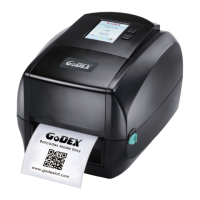
Provides an overview of the printer's front and rear views with labeled components.
Step-by-step instructions for opening the printer's top cover using release buttons.
Instructions on how to release and lift the internal printing mechanism for access.
Guides on how to assemble and install a new ribbon module onto the printer.
Instructions for assembling and installing a new label roll module onto the printer.
Details on how to load the label supply hub for different core sizes (1" and 1.5").
Step-by-step guide for connecting the printer to a computer via power and data cables.
Instructions on how to install the printer driver software from the product CD.
Explains the function of the FEED button and the status indicated by LED lights.
Details various error conditions, their LED indicators, and corresponding solutions.
Guides on performing label calibration and printing a self-test page.
Instructions for installing the NetSetting software for network configuration.
Overview of the NetSetting software interface and its network configuration tabs.
Steps for cleaning the printer's print head to ensure print quality.
Instructions for adjusting the print head pressure for optimal print quality on different media.
Method for adjusting the print line to ensure it is parallel to the paper feed roller.
A table listing common printer problems and their corresponding solutions.
Detailed technical specifications for the G300 and G330 barcode printers.
Describes the pinout details for USB, Serial, and Parallel ports of the printer.
 General
| Color | No |
|---|---|
| Printing colors | Black |
| Print technology | Direct thermal / Thermal transfer |
| Maximum resolution | 203 x 203 DPI |
| Maximum print height | 1727 mm |
| Maximum printing width | 108 mm |
| Economical printing | Yes |
| Display | - |
| Optional connectivity | Parallel |
| USB 2.0 ports quantity | 1 |
| Connectivity technology | Wired |
| Flash memory | 8 MB |
| Certification | CE(EMC), FCC Class A, CB, CCC |
| Internal memory | 16 MB |
| Number of fonts | 10 |
| Built-in barcodes | 1D, 2D, CODABAR (NW-7), Code 128 (A/B/C), Code 39, Code 93, Data Matrix, EAN128, EAN13, EAN8, Industrial 2/5, Interleaved 2/5, MaxiCode, Micro QR Code, MicroPDF417, PDF417, POSTNET, QR Code, UPC-A, UPC-E |
| Built-in processor | 32 Bit RISC |
| Image formats supported | BMP, PCX |
| AC input voltage | 100 - 240 V |
| AC input frequency | 50 - 60 Hz |
| Ribbon width | 110 mm |
| Core diameter | 38.1 mm |
| Ribbon length | 110 m |
| Media thickness | 0.2 mm |
| Maximum roll diameter | 127 mm |
| Server operating systems supported | Windows Server 2003, Windows Server 2008 |
| Windows operating systems supported | Windows 2000, Windows 2000 Professional, Windows 7 Home Basic, Windows 7 Home Basic x64, Windows 7 Home Premium, Windows 7 Home Premium x64, Windows 7 Professional, Windows 7 Professional x64, Windows 7 Starter, Windows 7 Starter x64, Windows 7 Ultimate, Windows 7 Ultimate x64, Windows 8, Windows 8 Enterprise, Windows 8 Enterprise x64, Windows 8 Pro, Windows 8 Pro x64, Windows 8 x64, Windows Vista Business, Windows Vista Business x64, Windows Vista Enterprise, Windows Vista Enterprise x64, Windows Vista Home Basic, Windows Vista Home Basic x64, Windows Vista Home Premium, Windows Vista Home Premium x64, Windows Vista Ultimate, Windows Vista Ultimate x64, Windows XP Home, Windows XP Home x64, Windows XP Professional, Windows XP Professional x64 |
| Bundled software | QLabel-IV, GoLabel |
| Storage temperature (T-T) | -20 - 50 °C |
| Operating temperature (T-T) | 5 - 40 °C |
| Storage relative humidity (H-H) | 10 - 90 % |
| Operating relative humidity (H-H) | 30 - 85 % |
 Weight and Dimensions
| Depth | 254 mm |
|---|---|
| Width | 224 mm |
| Height | 170 mm |
| Weight | 2500 g |


 To Next Page