6
2 Printer Setup
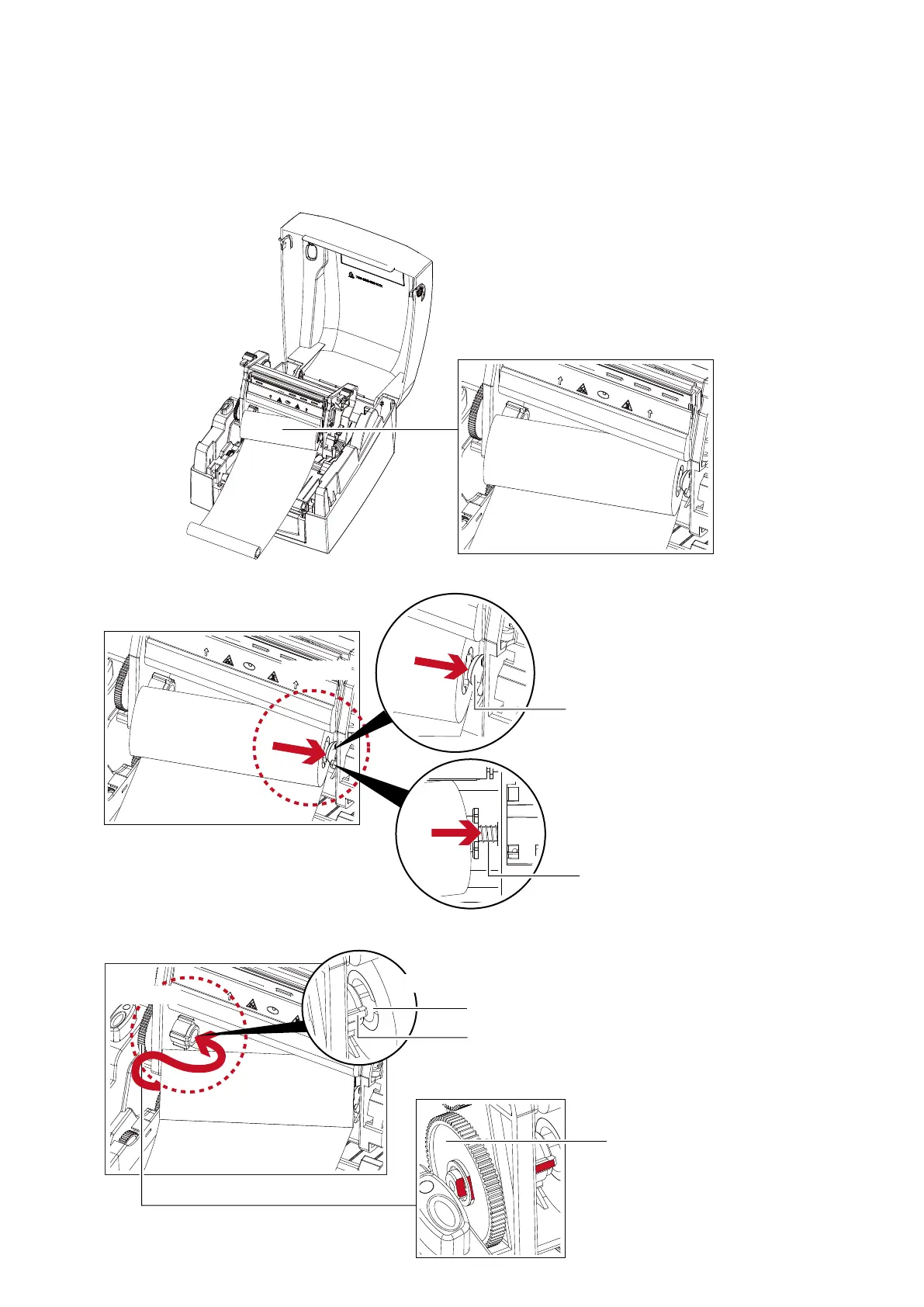
2. Then place the left-hand side of the ribbon.
Load The Ribbon On The Printer
For Ribbon Supply Module
1. Place the right-hand side of ribbon first.
RIBBON SUPPLY MODULE
Right side
Push the ribbon to tighten
the spring of the holder
HOLDER
SPRING OF HOLDER
Align the ribbon core
to the holder
Left side
NOTCH OF RIBBON CORE
SPOKE
GEAR
Rotate the gear for alignment
if necessary
Align the notch of the ribbon core to the spoke



 To Next Page