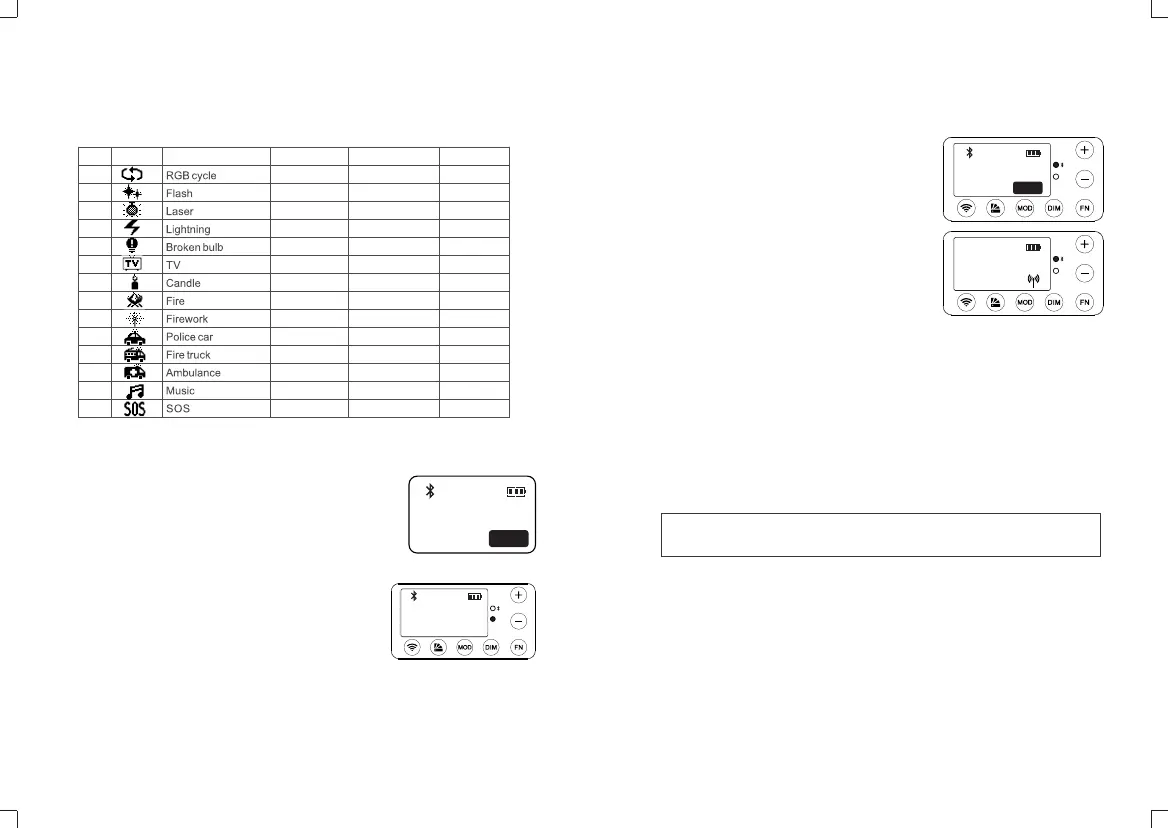
3.3 There’re 39 kinds of situational special effects mode which are divided into 14
categories for your choice.
No.
Display
Situation
Display
1
2
3
4
5
6
7
8
9
10
11
12
13
14
Slow speed
Flash
Birthday party
Discontinuous
Discontinuous
Slow speed
Discontinuous
Firewood
Brief
Strong flash
Strong flash
Strong flash
Music I
Medium speed
Press conference
KTV
Frequent
Frequent
Medium speed
Frequent
Campfire
Continuous
Frequent flash
Frequent flash
Frequent flash
Music II
Quick speed
Paparazzi
Disco
Sustainable
Sustainable
Quick speed
Sustainable
Fire hazard
Show
Quick flash
Quick flash
Quick flash
Display IIIDisplay II
4. Control Modes Selection: Bluetooth/2.4G Wireless
Remote Control/DMX Control
Press the wireless button firstly, then, press the “+”or
“-”button to choose the control mode. After choosing
the mode, press the FN or wireless button to enter the
relevant setting interface. Press the wireless button or
other button to exit the setting interface.
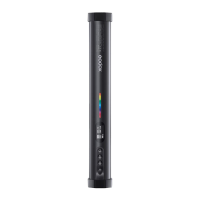
With 2.4G wireless system, TL60 RGB tube light has
remote grouping and control function. It is
recommended to purchase RC-R9 remote
control(optional) to achieve wireless control. Up to 6
groups of LED lights can be controlled. 32 channels
and 99IDs are available with strong anti-interference
capability.
4.2.1 2.4G Wireless switch: press the FN button to
select the wireless icon. Then, press the “+”or “-
”button to switch on or off 2.4G wireless.
“ON”means 2.4G wireless is turned on(wireless
indicator is lightened green), “OFF” means
turned off(wireless indicator is put off).
4.2.2 Chanel setting: press the FN button to select
CH. Then, press the “+”or “-” button to select 32
channels from 1 to 32.
4.2.3 Group setting: press the FN button to select GR.
Then, press the “+”or “-” button to select 6
groups from A to F.
4.2.4 ID setting: press the FN button to select ID.
Then, press the “+”or “-”button to select 99 IDs
from 1 to 99.
4.2 2.4G Wireless Setting
- 19 - - 20 -
2.4G
DMX
>
LINK
/2.4G
L/F(/)
2.4G
DMX
>
LINK
/2.4G
L/F(/)
GR:A
ID:2
CH:12
>
ON
4.1.1 Bluetooth switch: press the FN button to select
the Bluetooth. Then, press the “+”or “-”button to
switch on or off. If“ON”is displayed, the Bluetooth
is on and “OFF” means off. When the Bluetooth is
on, the indicator will turn to blue.
4.1.2 Initialize the Bluetooth password: press the FN
button to select RESET. Then, press the “+”or
“-” button to reset the Bluetooth.
4.1.3 Bluetooth Number: MAC: xxxx is the Bluetooth
number of this light.
4.1 Bluetooth Setting
/2.4G
L/F(/)
RESET
MAC:D0F3
>
:OFF
Note: When opening the Bluetooth and 2.4G simultaneously, the indicator will turn to cyan.
Please make LED light's channel, group and ID to the same as remote control's. The RGB tube light
can only receive wireless signals in powered-on status.


 To Next Page