47
Touch Screen: Slide the screen from
the left to the right to make the mode
interface appears, click the “Wireless”
icon to enter wireless mode. Then slide
from the left to the right to return to the
main interface.
Wireless Settings
You can scan the spare channel to avoid the interference of using the same
channel by others.
If there are other wireless flash systems nearby, you can change the
wireless channels to prevent signal interference. The wireless channels (01-
32) of the sender unit and the receiver unit(s) must be set to the same.
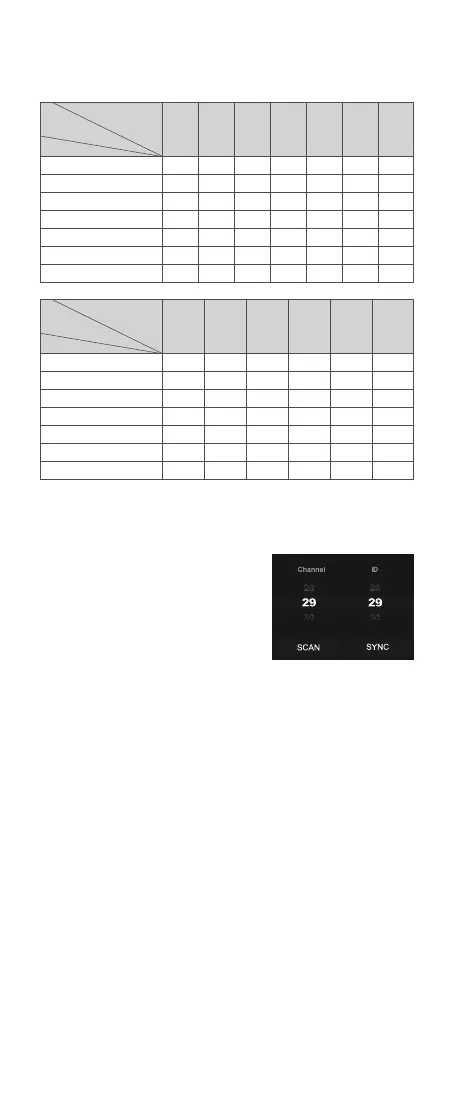
Touch Screen: Click the “SCAN” icon to start scanning, and the 8 spare
channels will be displayed, click your desired channel.
Touch Screen: Slide the “Channel” box to choose your desired channel.
Scan the Spare Channel
Channel Settings
Buttons and Select Dial: Press the
power switch button to make the mode
interface appears, rotate the select dial
and press the set button to choose and
enter wireless mode. Short press the
power switch button to return to the
main interface.
Buttons and Select Dial: Rotate the select dial to choose “SCAN” icon,
then press the set button to start scanning, and the 8 spare channels will
be displayed, rotate the select dial and press the set button to choose your
desired channel.
Maximum Time of Consecutive Flashes
1/4
1/8
1/16
1/32
1/64
1/128
1/256
Flash Output
Flash Output
Flash
Frequency(Hz)
Flash
Frequency(Hz)
Number
of Flashes
Number
of Flashes
1/4
1/8
1/16
1/32
1/64
1/128
1/256
1
8
14
30
60
90
100
100
2
6
14
30
60
90
100
100
3
4
12
30
60
90
100
100
4
3
10
20
50
80
100
100
5
3
8
20
50
80
100
100
6-7
2
6
20
40
70
90
90
8-9
2
5
10
30
60
80
80
11
2
4
8
20
40
70
70
10
2
4
10
20
50
70
70
12-14
2
4
8
20
40
60
60
15-19
2
4
8
18
35
50
50
20-50
2
4
8
16
30
40
40
60-100
2
4
8
12
20
40
40


 To Next Page