48
Buttons and Select Dial: Rotate the select dial to choose “Channel” box,
then press the set button to enter channel settings, rotate the select dial
and press the set button to choose your desired channel, nally press the
set button to exit.
Change the wireless ID to avoid interference for it can only be triggered after
the wireless IDs (OFF/01-99) of the sender unit and the receiver unit are set
to the same.
The wireless sync function helps the sender and receiver to quickly set the
same channel and ID.
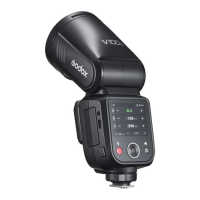
Touch Screen: Click the “SYNC” icon on both V100 C and Lux Master.
Touch Screen: Click the “SYNC” icon on both V100 C and X3 C.
Preconditions:
Preconditions:
1. Set V100 C to sender mode and the “Sender” icon on the panel is yellow.
2. Assume retro camera flash Lux Master as the receiver.
1. Set V100 C to receiver mode and the “Receiver” icon on the panel is
yellow.
2. Assume flash trigger X3 C as the sender.
When the sender unit and receiver unit are both V100 C, wireless sync is
also available.
Touch Screen: Slide the “ID” box to turn off the ID, or choose your desired ID.
ID Settings
Wireless Sync
Receiver Wireless Sync
Sender Wireless Sync
Buttons and Select Dial: Rotate the select dial to choose “ID” box, then
press the set button to enter ID settings, rotate the select dial and press the
set button to choose your desired ID, nally press the set button to exit.
Buttons and Select Dial: Rotate the select dial on V100 C to choose “SYNC”
icon, then press the set button. Rotate the select dial on Lux Master to
choose “SYNC” icon, then press the SET button.
Buttons and Select Dial: Rotate the select dial on V100 C to choose “SYNC”
icon, then press the set button. Rotate the select dial on X3 C to choose
“SYNC” icon, then press the select dial.
Touch Screen: Slide the screen from the left to the right to make the mode
interface appears, click the “Menu” icon to enter the menu interface. Then
slide from the left to the right to return to the main interface.
Menu
Buttons and Select Dial: Press the power switch button to make the mode
interface appears, rotate the select dial and press the set button to choose
and enter the menu interface. Short press the power switch button to return
to the main interface.


 To Next Page
 Loading...