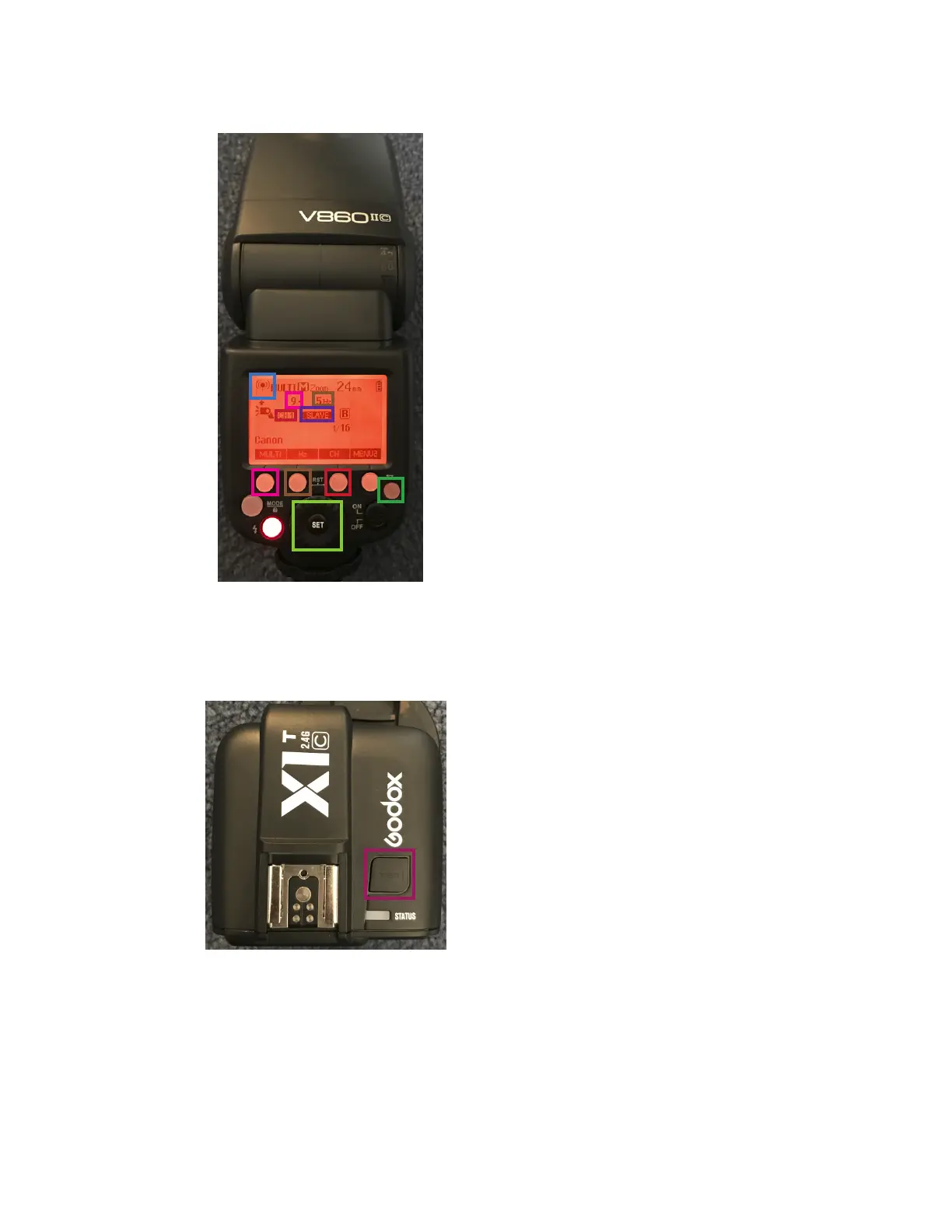
On the flash, navigate to this screen using the
recieving button. You want to see “slave” mode
and the “transmitter” mode.
Ensure that the channel on the flash matches
the channel on the trigger. Change the channel
using the channel button.
In the photo to the left, the trigger is in “multi”
mode. Multi means that the flash will go off more
than one time per trigger. The number of flashes
can be changed by pressing the multi button and
spinning the dial.
In order for multi mode to work, the shutter speed
on your camera must be greater than or equal to
the number of flashes over the flash frequency.
Use the button on top of the trigger
to trigger the flash.
2



 To Next Page