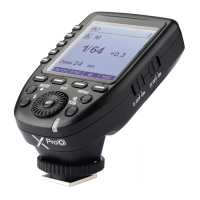
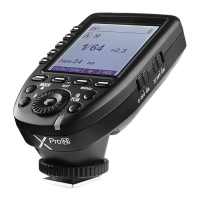
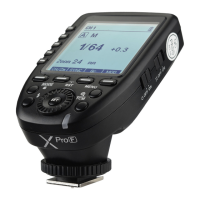
Switch between multi-group and one-group mode: choose a group in multi-group mode
and press the <TCM> button to magnify it to one-group mode. Then, press the <TCM>
button to back to multi-group.
Magnification Function
Setting the Flash Trigger
1. Multi-group displays in the TTL mode
1.1 Press the group button to choose the group, turn the select dial, and the FEC
value will change from -3 to ~3 in 0.3 stop increments. Press the <SET> button
to confirm the setting.
1.2 Press <ALL> button to choose all groups’ FEC value, turn the select dial, and all
groups’ FEC value will change from -3 to ~3 in 0.3 stop increments. Press
<ALL> button again to confirm the setting.
2. One-group displays in the TTL mode
Turn the select dial and the group’s power output value will change from -3 to ~3 in
0.3 stop increments.
Flash Exposure Compensation Settings
1. In the multi flash (TTL and M icon are not displayed).
2. The three lines are separately displayed as power output
value, Times(flash times) and Hz (flash frequency).
3. Turn the Select Dial to change the power output value
from Min. to 1/4 in integer stops.
4. Short press the Times button can change flash times.
Turn the select dial to change the setting value.
5. Short press the THz button can change flash frequency.
Turn the select dial to change the setting value.
Multi Flash Settings (Output Value, Times and Frequency)
Setting the Flash Trigger
CH1
A
B
C
D
E
--
ON
1/64
--
--
--
Zm/CH Times Hz
MOD
3 Times
1 Hz
MULTI
- 34 -- 33 -
Note: The FEC value displayed on the XproO will not be displayed on the flash under its control. As the
FEC values of XproO and flash are two different value, the output value are the total FEC value of
XproO and flash(for example, if XProO's FEC value is -2 while the flash's FEC value is +3, then the
flash output is +1.).
Output Value Settings
1. Multi-group displays in the M mode
1.1 Press the group button to choose the group, turn the select dial, and the power
output value will change from Min to 1/1 in 0.3 or 0.1 stop increments. Press
the <SET> button to confirm the setting.
1.2 Press <ALL> button to choose all groups’ power output value, turn the select
dial, and all groups’ power output value will change from Min to 1/1 in 0.3 or
0.1 stop increments. Press <ALL> button again to confirm the setting.
2. One-group displays in the M mode
Turn the select dial and the group’s power output value will change from Min to 1/1
in 0.3 or 0.1 stop increments.
Note: Min. refers to the minimum value that can be set in M or Multi mode. The minimum value can be
set to 1/128, 1/128(0.1), 1/256 or 1/256(0.1) according to C.Fn-STEP. For most of camera flashes, the
minimum output value is 1/128 or 1/128(0.1) and cannot be set to 1/256 or 1/256(0.1). However, the
value can change to 1/256 or 1/256(0.1) when using in combination with Godox strong power flashes
e.g. AD600Pro, etc.


 To Next Page
 Loading...